New session
Changelog

What's new in Citaria

New features, improvements and fixes — every week. RSS

  1. Research scenarios

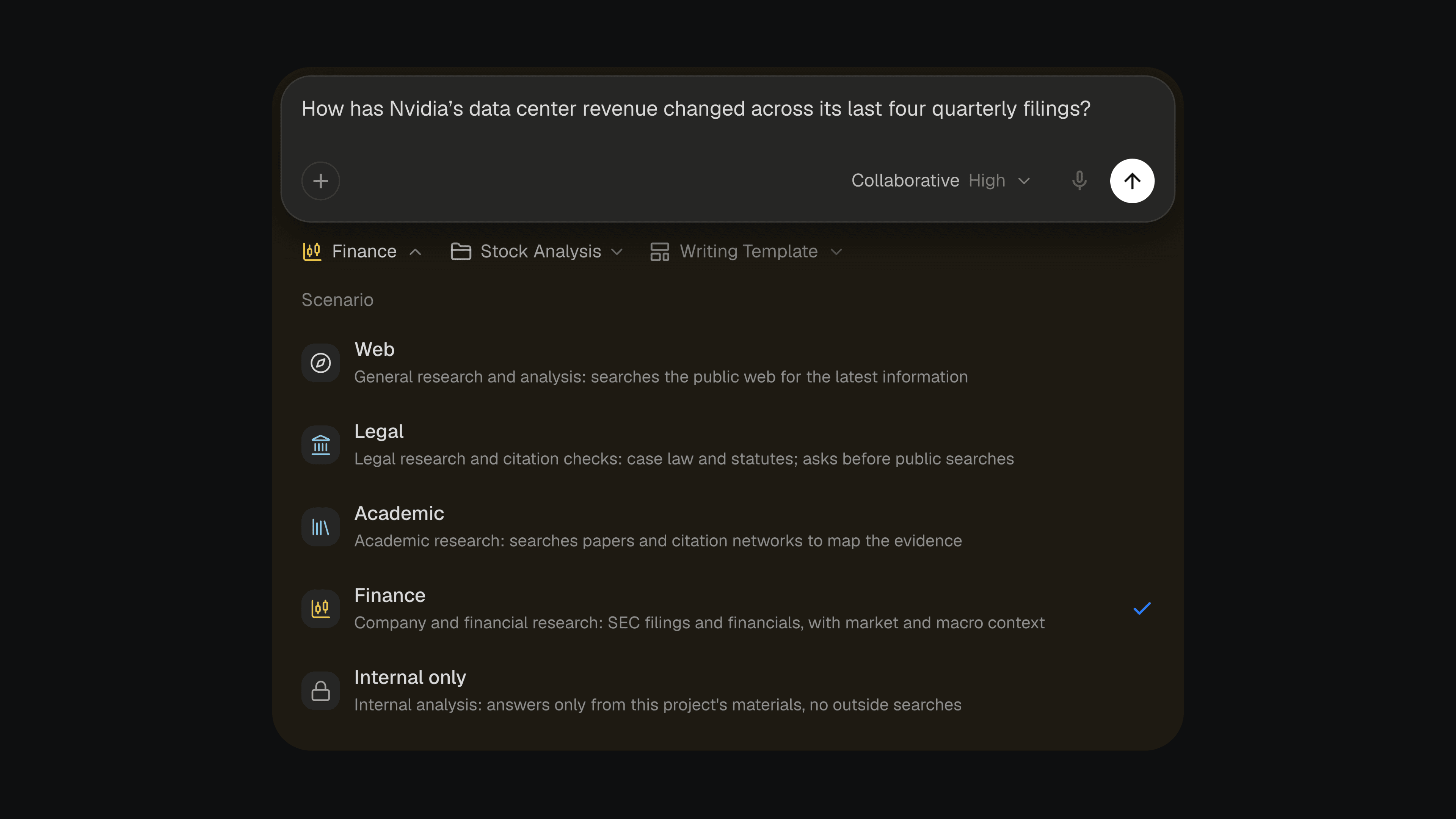
    The Scenario menu open below the message box in Citaria, listing Web, Legal, Academic, Finance and Internal only, with Finance selected for a question about Nvidia’s quarterly filings.

    Legal, academic and financial work each has its own standard of evidence. You can now choose a scenario for each question, and Citaria researches to that standard, the way a specialist in the field would.

    Pick one from the Scenario menu next to the message box:

    • Legal cite-checks a filing, testing each sentence against the opinion or statute it cites, including the qualifications the sentence leaves out
    • Academic reviews the literature, covering foundational, recent and critical work and weighing each study by the strength of its design
    • Finance analyzes companies from their SEC filings, tracing every figure to its source and period

    Web remains the default for general research, and Internal only keeps the research to your project’s sources.

    Improvements3
    • Citations in a document now show whether they are Verified, Failed or Unverifiable, and the citation card explains why
    • With the Source Index citation style, citations without source data are now numbered too and listed under References with their check status
    • The notice on a document locked by pending changes now has a Review button that takes you straight to the changes
    Fixes4
    • Fixed the message box sending a half-typed message when you pressed Enter to confirm a word in an input method
    • Fixed documents in the sidebar showing the green review dot while Citaria was still editing them
    • Fixed pages from sites marked Discard in a project’s Trusted Sources still being read, including links you paste
    • Fixed citation cards for papers showing whole paragraphs as red formula errors when the text contained numbers written as formulas
  2. Research outline

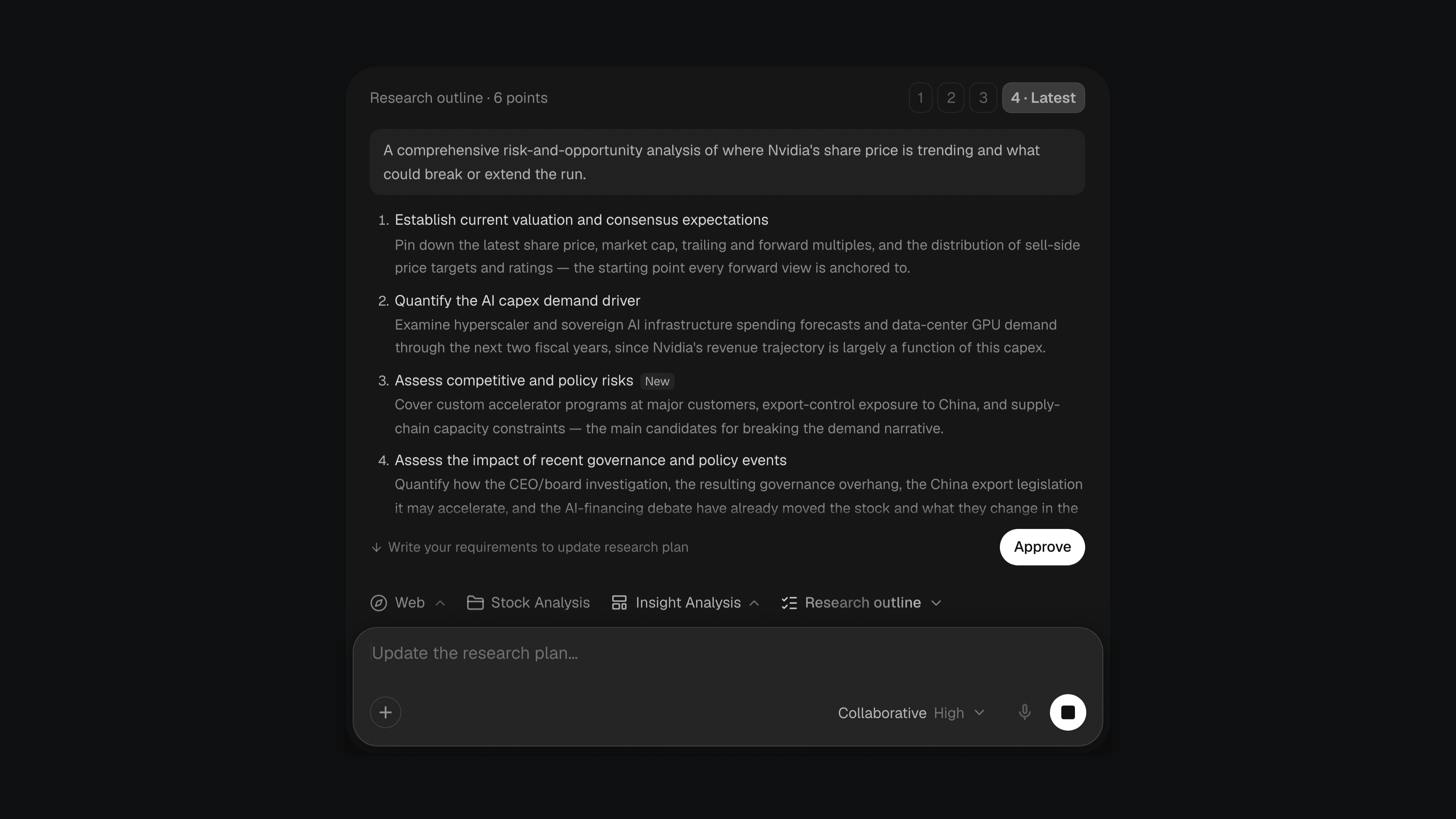
    A research outline card in Citaria: version 4 of 4 selected, the research goal, numbered research points with one marked New, an Approve button, and the message box in Collaborative mode.

    In Collaborative mode, Citaria now shows you a research outline before it starts researching, so you can steer the direction before any time goes into it.

    The outline lists the goal and the directions Citaria plans to cover. From there, you can:

    • Approve it to start the research
    • Ask for changes in the message box, and get a revised version with new and changed points marked
    • Switch versions and start from whichever one you prefer
    Improvements6
    • Editing a transcript now re-anchors every citation to the exact sentence it quotes, so playback starts where the quote does
    • You can now upload Word (.docx) files as sources or chat attachments, from your computer or Google Drive, and view them in their original layout
    • Chinese transcripts now highlight and play back sentence by sentence, and quotes that span several sentences highlight in full
    • Retrying an answer now replaces it instead of adding a second answer below
    • Answers that stopped before writing anything now show a Regenerate button
    • File cards now show the file type, such as PDF, Word or Markdown, once the file is ready
    Fixes7
    • Fixed answers retrying silently for 23 seconds when the connection dropped before they started, instead of showing an error
    • Fixed pure insertions in an AI edit not being marked where the original text was
    • Fixed collapsed replacements in an AI edit leaving a blank gap in the document
    • Fixed AI edits that only move a citation being marked on one side only
    • Fixed back-to-back AI edits to the same passage being merged into one large rewrite
    • Fixed shared project members not seeing the project’s sources
    • Fixed the attachment menu and the Move to menu for project documents showing a double arrow
  3. Word-level review

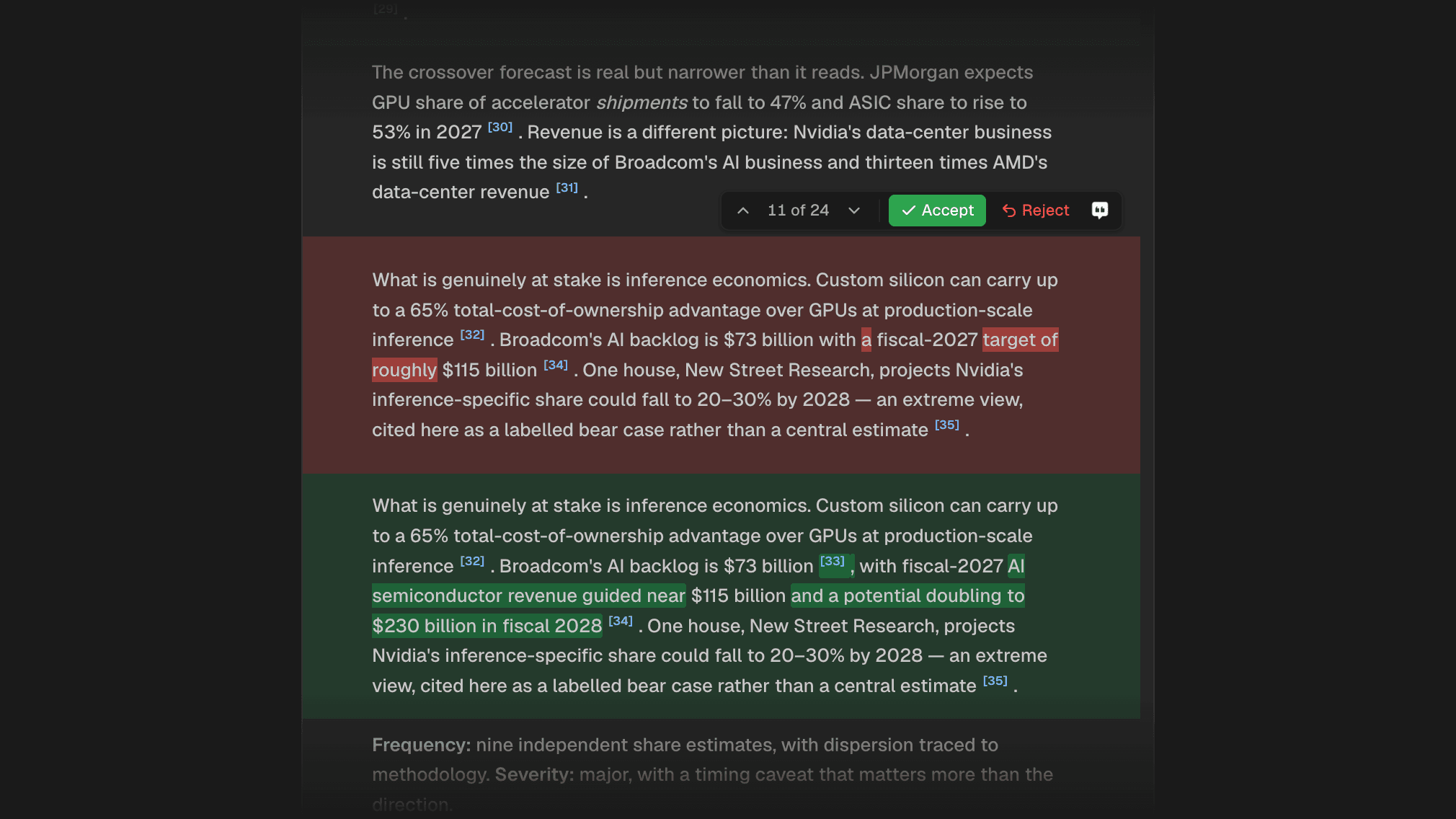
    An AI edit under review in Citaria: the removed words highlighted in red, the added words and a new citation highlighted in green, with Accept and Reject buttons.

    When Citaria revises a document, every change waits for your review. You can now see exactly which words changed, instead of comparing two paragraphs by eye.

    Expand a change to see the removed words highlighted in red and the added words in green, including any citation that was added or removed.

    Improvements4
    • New accounts now go straight into Citaria after signing up, without a questionnaire
    • You can now browse earlier versions of a document’s audit report, including while a new audit is running
    • Spacing changes next to Chinese text are no longer flagged as edits to review
    • Citations inside removed text in a review are now clickable
    Fixes4
    • Fixed pending edits being lost from a document while they waited for review
    • Fixed changes that span several paragraphs highlighting only part of the original text
    • Fixed edits that rewrite every number in a sentence showing no word-level highlights
    • Fixed the audit panel listing reports from other sessions, and version numbers jumping after a re-audit