Every AI edit to your report, marked for your review
See every word the AI changed, and keep only what you agree with.
In short
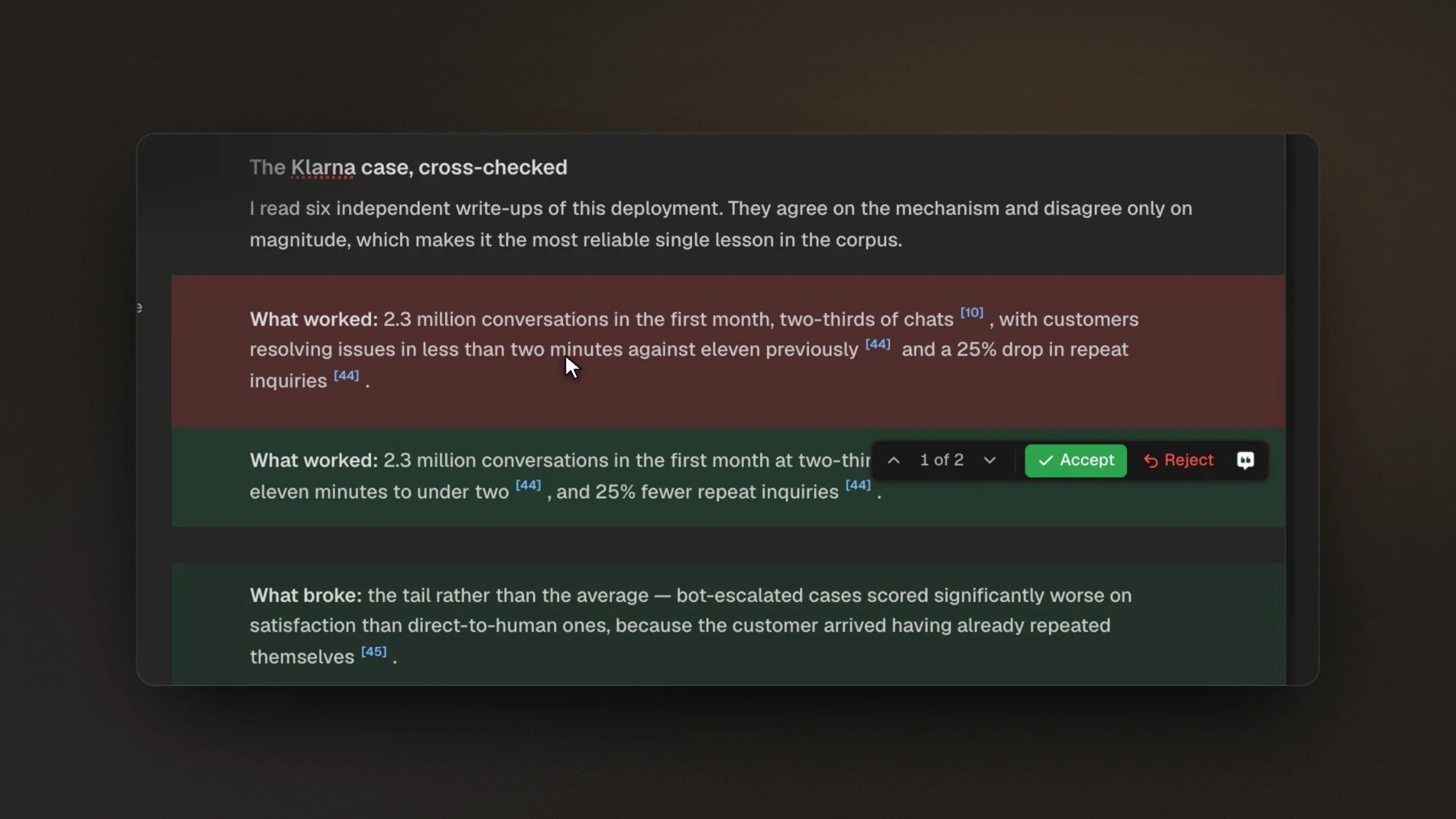
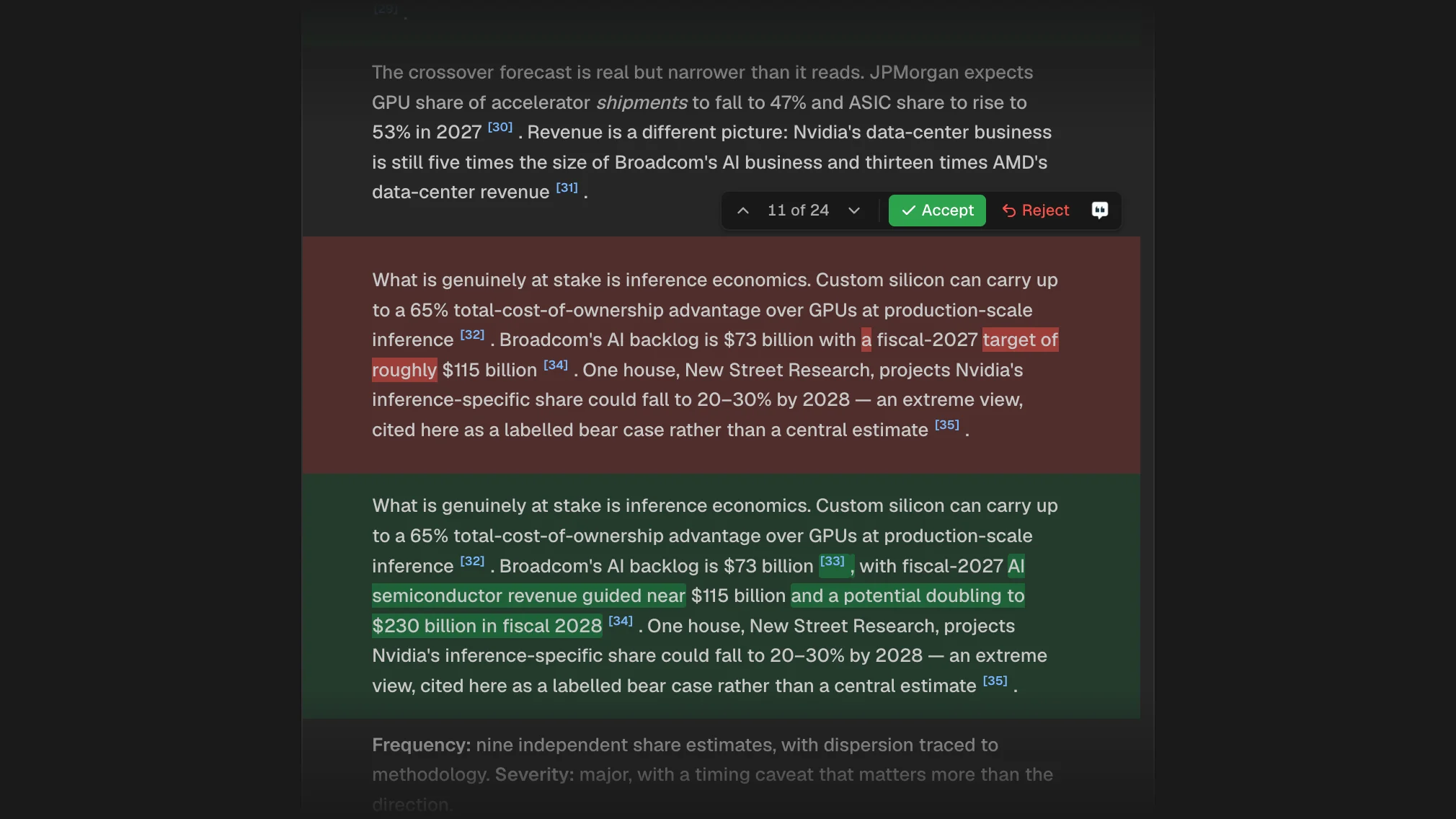
Every edit Citaria makes to an existing report is tracked, whether you asked for it or an audit prompted it. Removed text shows in red and added text in green, down to the word, and you accept or reject each change or all of them at once. Rejecting a change restores the original text.
- Marked
- Removed text in red, added text in green
- Detail
- A word-level view of each change, citations and formatting included
- Decisions
- Accept or reject one at a time, or all at once
- Reject
- Restores the original text
- Editor
- Tables, LaTeX equations, Mermaid diagrams, table of contents
How tracked changes work
- 01
Edits appear in place
Your follow-up requests and audit revisions change the same document, and every change is marked for review.
- 02
See exactly what changed
Expand any change to see which words were added or removed, including changes to citations and formatting.
- 03
Keep what you agree with
Accept or reject each change, one at a time or all at once. A rejected change restores the original text.
Stay the author of your report
After an audit
See exactly what Citaria changed in response to the audit before you keep it.
Targeted edits
Select a passage, ask for a rewrite, and review the result word by word.
Numbers and sources
Spot a changed figure or a swapped citation before you accept it.
Nothing slips by unnoticed
Every added and removed word
Expand a change to a word-level view, so a revised number, a softened claim, or a swapped citation is easy to spot before you accept it.
How do AI research tools handle revisions to a report?
Citaria is our product. Facts about other tools come from their official documentation; the review date and sources are at the foot of this page.
| Tool | Revisions to a report |
|---|---|
| Citaria | Every AI edit tracked for you to accept or reject |
| ChatGPT Deep Research | Reports download as Markdown, Word, or PDF; accepting or rejecting revisions is not described |
| Gemini Deep Research | Follow-up questions add new information to the report |
| NotebookLM | Changes to generated files are saved as new versions |
| Elicit | Ask Elicit drafts can be accepted or rejected |
Can I review the changes an AI makes to my research report?
Yes. Every edit Citaria makes to an existing report is marked in place, and you accept or reject each one, individually or all at once. Expand a change to see exactly which words were added or removed.
What happens when I reject an edit?
The original text is restored, and the rest of the report keeps the edits you accepted.
Can I edit the report myself?
Yes. The report is a document you can edit directly, with tables, equations, diagrams, and a table of contents. You can also select a passage and ask Citaria to rewrite it.