AI research for legal, academic, and financial work
Choose the matching scenario in Citaria, and it researches to the standard of that field.
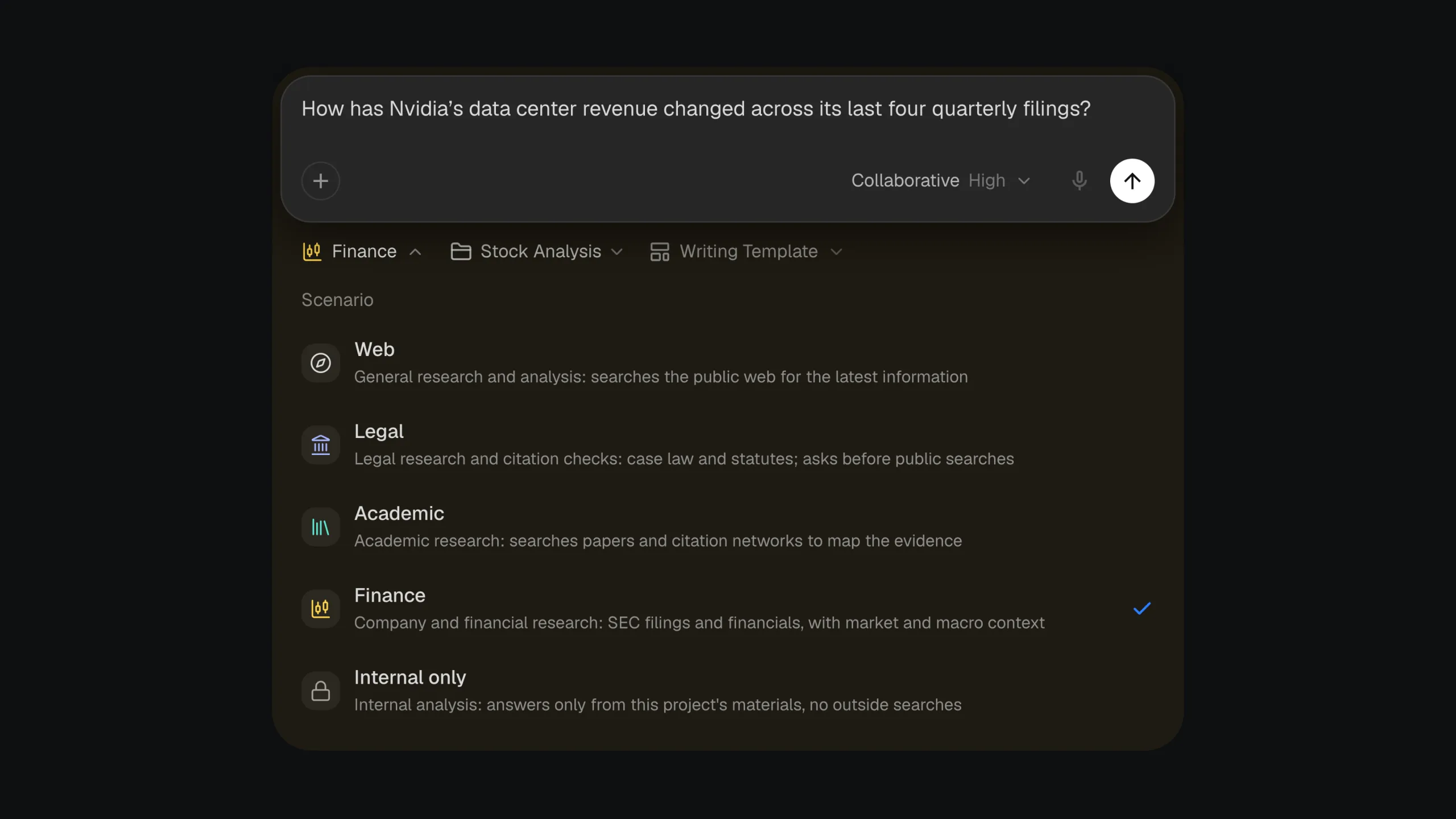
In short
Citaria offers solutions for legal, academic, and financial research, each matching a scenario in the Scenario menu next to the message box. A scenario sets which sources Citaria searches, how it weighs evidence, and what the report looks like. Web is the default scenario, and Internal only keeps research to your project files.
- Solutions
- Legal, Academic, and Finance
- Where to choose
- The Scenario menu next to the message box
- Other scenarios
- Web, the default, and Internal only
- Sources added
- Case law and statutes, scholarly papers, and SEC filings
- Switching
- Change the scenario from one question to the next
By field
Pick the solution for your field
Legal
Cite-check briefs against cases and statutes
Learn more →Academic
Search papers and map the evidence
Learn more →Finance
Company research from filings, earnings, and market data
Learn more →
Other scenarios
Web
The default: general research across the public web and your project files
Internal only
No outside searches: answers only from your project’s files
Choose a scenario
Which scenario should you use?
| If you want to | Choose |
|---|---|
| Check the citations in a brief or memo against US case law and statutes | Legal |
| Review the published research on a question | Academic |
| Analyze a company from what it filed with the SEC | Finance |
| Research anything else, from your files and the web | Web |
| Answer only from your project files, with no outside searches | Internal only |