Citaria vs NotebookLM
From understanding your sources to a report you can defend
NotebookLM, now called Gemini Notebook, is built for understanding the sources you collect, with answers grounded in them and cited inline. Citaria is built for research you have to stand behind: Citaria clarifies the question, researches your files and the open web, audits every report with a separate evaluator model, and marks every AI edit for your review.
Should you use NotebookLM or Citaria?
Choose NotebookLM when you need
- Answers grounded only in the sources you choose
- Audio or video overviews, flashcards, and mind maps of your material
- Study and briefing material inside the Google ecosystem
Choose Citaria when you need
- A finished report you will present, publish, or sign off on
- An independent audit before anyone reads the report
- Every AI revision marked for your review
What can Citaria do that NotebookLM doesn’t?
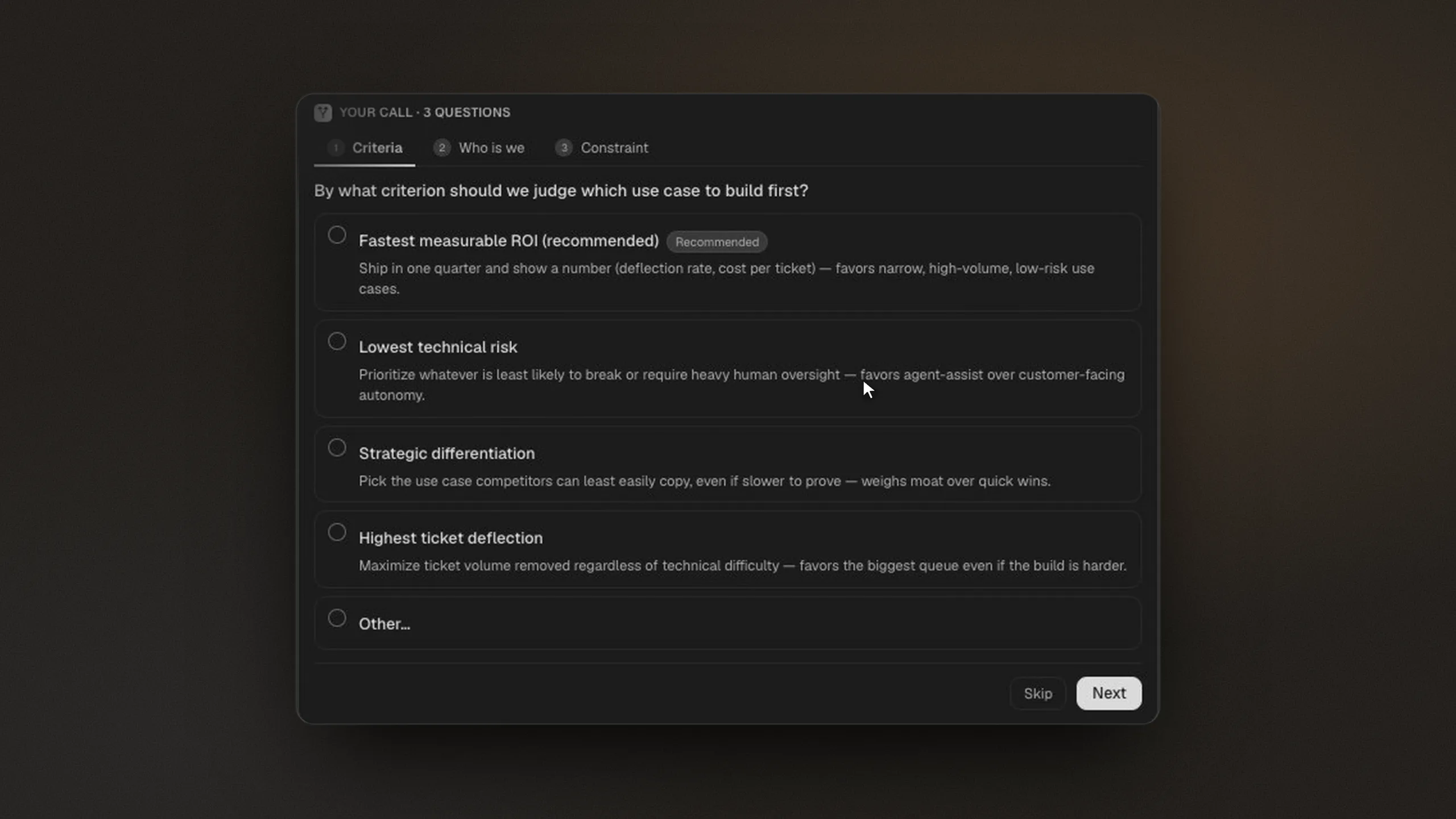
Asks what you mean before it researches
A notebook starts from the sources you collect; a Citaria report starts from your question. When a request is ambiguous, Citaria asks a few targeted questions, such as how to judge the options or which constraint matters most, then builds the research plan around your answers.
NotebookLM's Deep Research creates a research plan; its documentation does not describe asking clarifying questions before it starts.
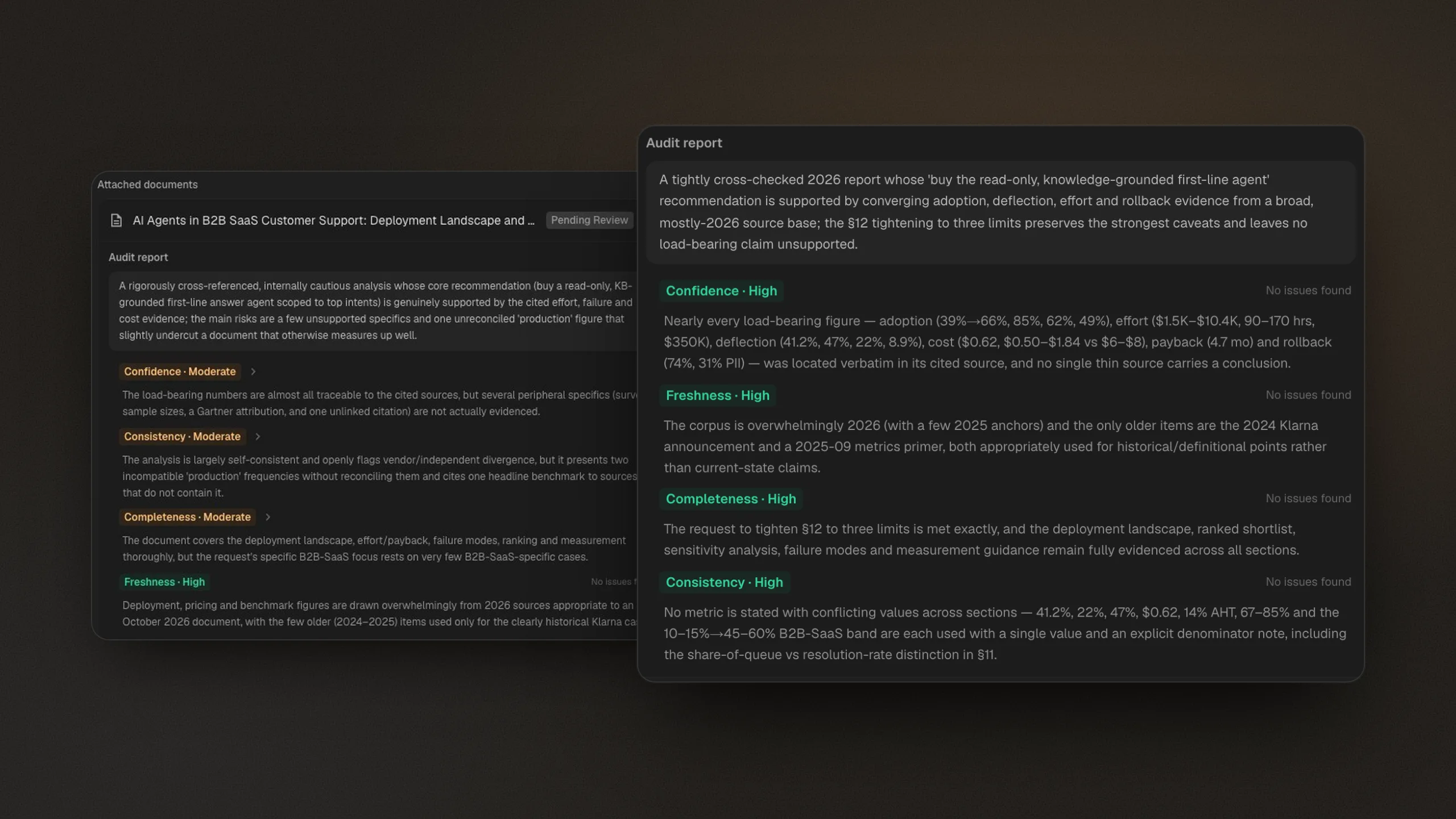
Audits every report with a separate AI model
Before you read a Citaria report, a separate evaluator model grades it for confidence, consistency, completeness, and freshness. Citaria revises what the audit flags and audits the revised draft again, so the check does not rest on you alone.
NotebookLM's documentation asks you to review generated reports for accuracy; it does not describe a separate verification or second-model review step.
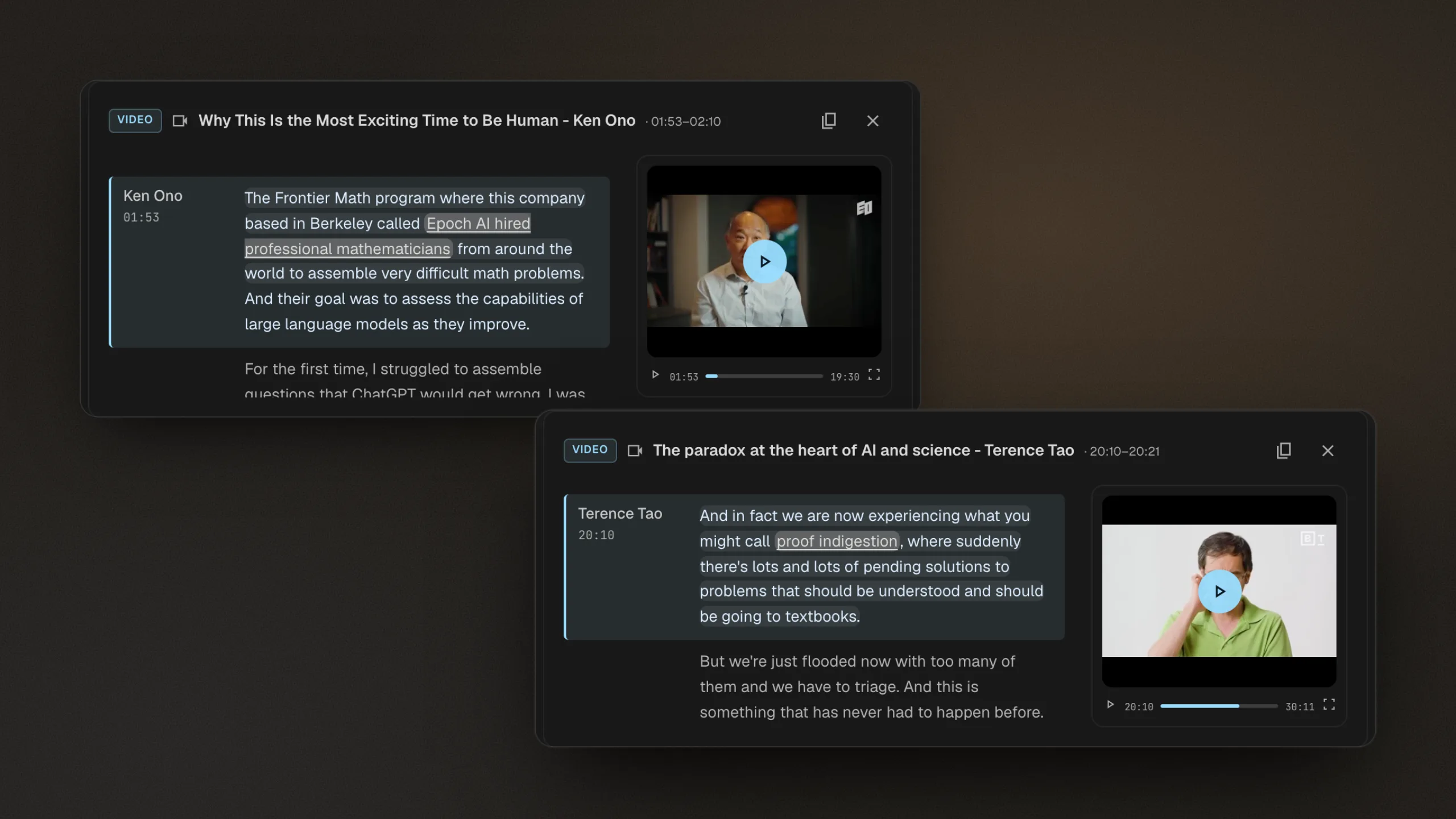
Plays the recording from the cited moment
Citaria cites audio and video at the moment a statement was made: a citation to a recording opens the transcript at the cited line, highlighted, and plays the recording from that moment, so you can hear the original words in context.
NotebookLM imports audio files and YouTube videos as text transcripts; its documentation does not describe citations that play a recording from the cited moment.
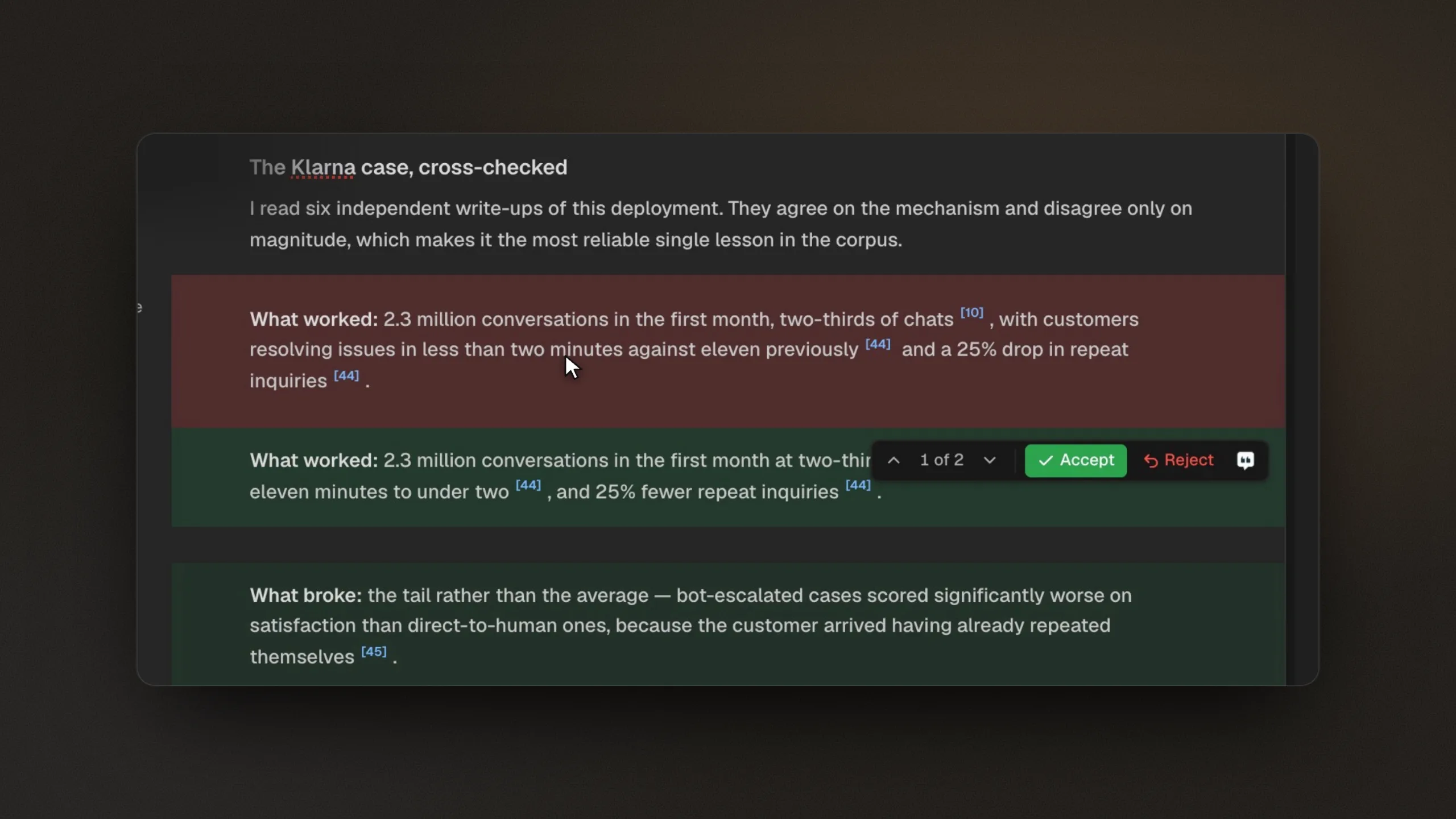
Marks every AI edit for your review
Citaria writes a document you keep refining. Follow-up questions update the document in place, and each AI revision is marked as a tracked change you can accept or reject, so you see exactly what changed.
NotebookLM can save changes to generated files as new versions; its documentation does not describe accepting or rejecting individual AI revisions.
Citaria vs NotebookLM: feature comparison
| Feature | Citaria | NotebookLM |
|---|---|---|
| Best for | Research reports you need to defend | Understanding and summarizing sources you collect |
| Starting point | A research question, with your files and the open web | A notebook of sources you add, with Fast or Deep Research to find more |
| Before research | Asks clarifying questions when a request is ambiguous | Deep Research creates a research plan |
| Citation detail | Opens the exact passage, highlighted in the source | Inline citations that show the quote and open it in context |
| Quality check | A separate evaluator model audits every finished report | Not described in Google's documentation |
| Recordings | Citations open the transcript and play from the cited moment | Audio files and YouTube videos imported as transcripts |
| Output | An editable report with every AI edit tracked | Chat answers, reports, audio and video overviews, flashcards, and slides |
| Price to start | Free tier | Free tier, with higher limits on Google AI plans |
Is Citaria better than NotebookLM?
They solve different problems. NotebookLM is better for understanding a set of sources you already have and turning them into study material. Citaria is better when you need a finished research report that someone will rely on, because Citaria audits each report with a separate model and marks every AI edit for your review.
Is NotebookLM now called Gemini Notebook?
Yes. Google renamed NotebookLM to Gemini Notebook in July 2026 and describes it as the same standalone product. This page uses both names.
Does NotebookLM search the web?
NotebookLM chat answers only from the sources in a notebook, but its Fast Research and Deep Research features can find web and Google Drive sources for you to import. Citaria searches the open web as part of every research plan and cites web sources and your files the same way.
Can I use NotebookLM and Citaria together?
Yes. NotebookLM works well for digesting a set of documents you already have. When the question needs fresh research and a finished report you will share, run it in Citaria to get an audited document with passage-level citations and tracked revisions.
Is Citaria free?
Yes. Citaria has a free tier, so you can run real research and check every citation before choosing a paid plan.