Citaria vs Gemini Deep Research
From research across Google to reports anyone with the link can verify
Gemini Deep Research is built for broad research with Google Search and your Google Workspace content. Citaria is built for research you have to stand behind: Citaria audits every finished report with a separate evaluator model and lets readers of a public link open each cited passage or recording themselves.
Should you use Gemini Deep Research or Citaria?
Choose Gemini Deep Research when you need
- Research that draws on your Gmail, Drive, and Google Chat
- Broad Google Search coverage on a free plan
- A report exported to Google Docs or turned into an Audio Overview
Choose Citaria when you need
- A report checked by a different model than the one that wrote it
- A public report your readers can verify for themselves
- Evidence from your recordings, cited to the moment
What can Citaria do that Gemini Deep Research doesn’t?
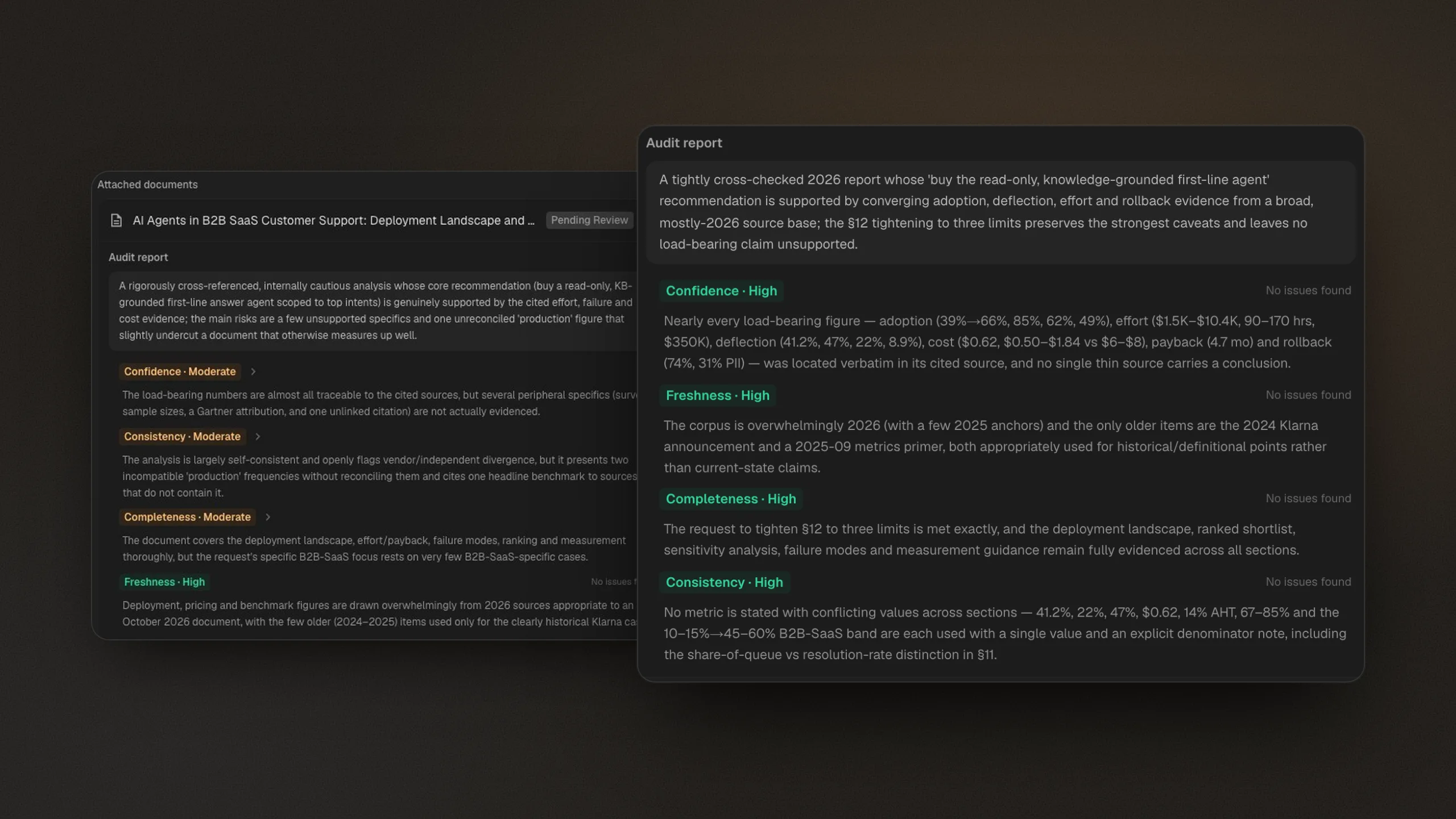
Checks the report with a different model
Self-review relies on the same model that wrote the report. Citaria hands the finished report to a separate evaluator model that grades it for confidence, consistency, completeness, and freshness, then revises what the audit flags and audits the revised draft again.
Google describes multiple passes of self-critique in Gemini Deep Research; its documentation does not describe a separate, independent verification step.
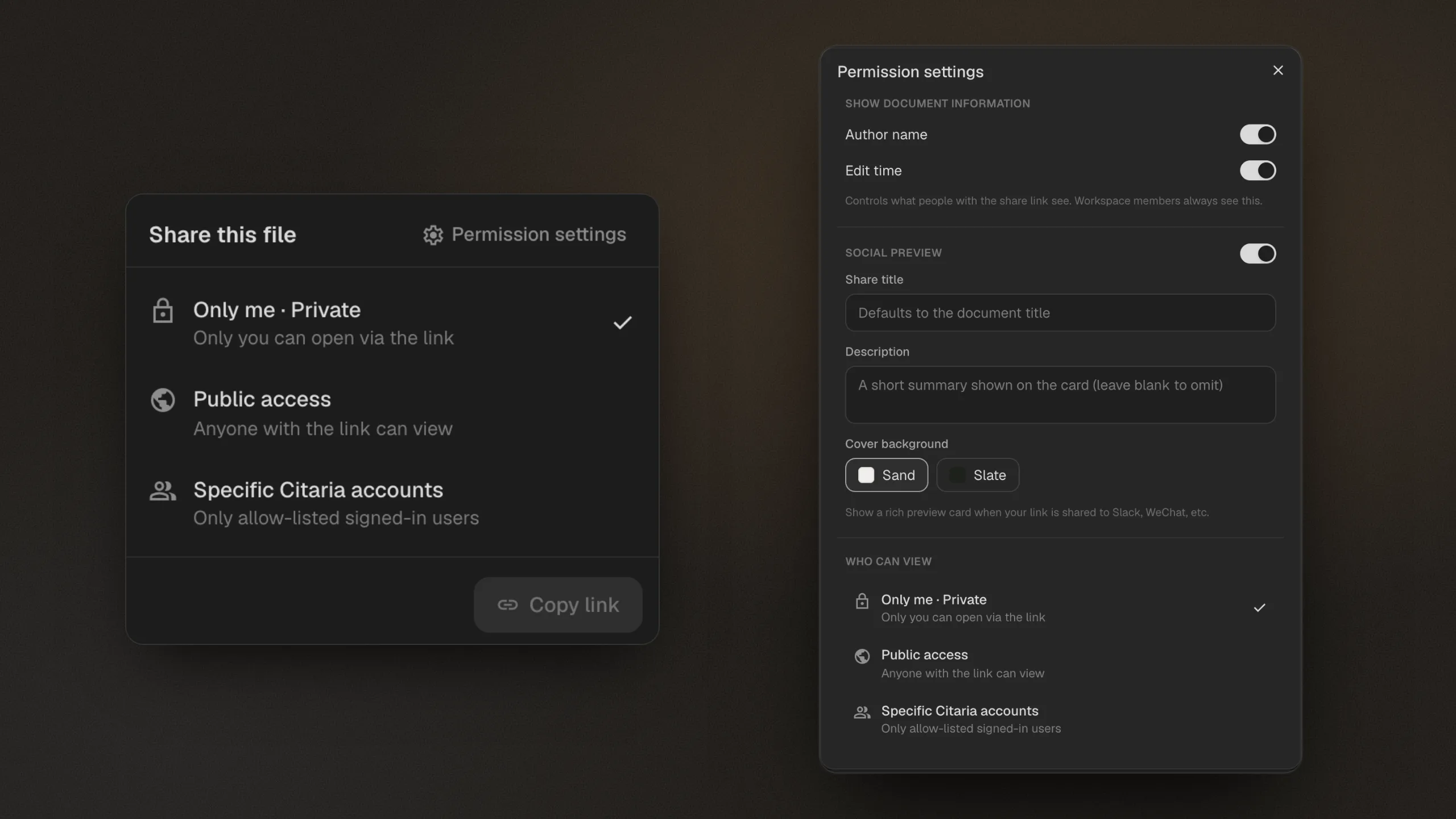
Shares a report your readers can check themselves
Share a Citaria report privately, with specific Citaria accounts, or by public link. Readers of a public report can open every cited passage and replay cited recordings without an account, and a reference list is built in.
Gemini's share link is a public snapshot of the report; Google's documentation does not describe readers opening the cited passage behind a claim.
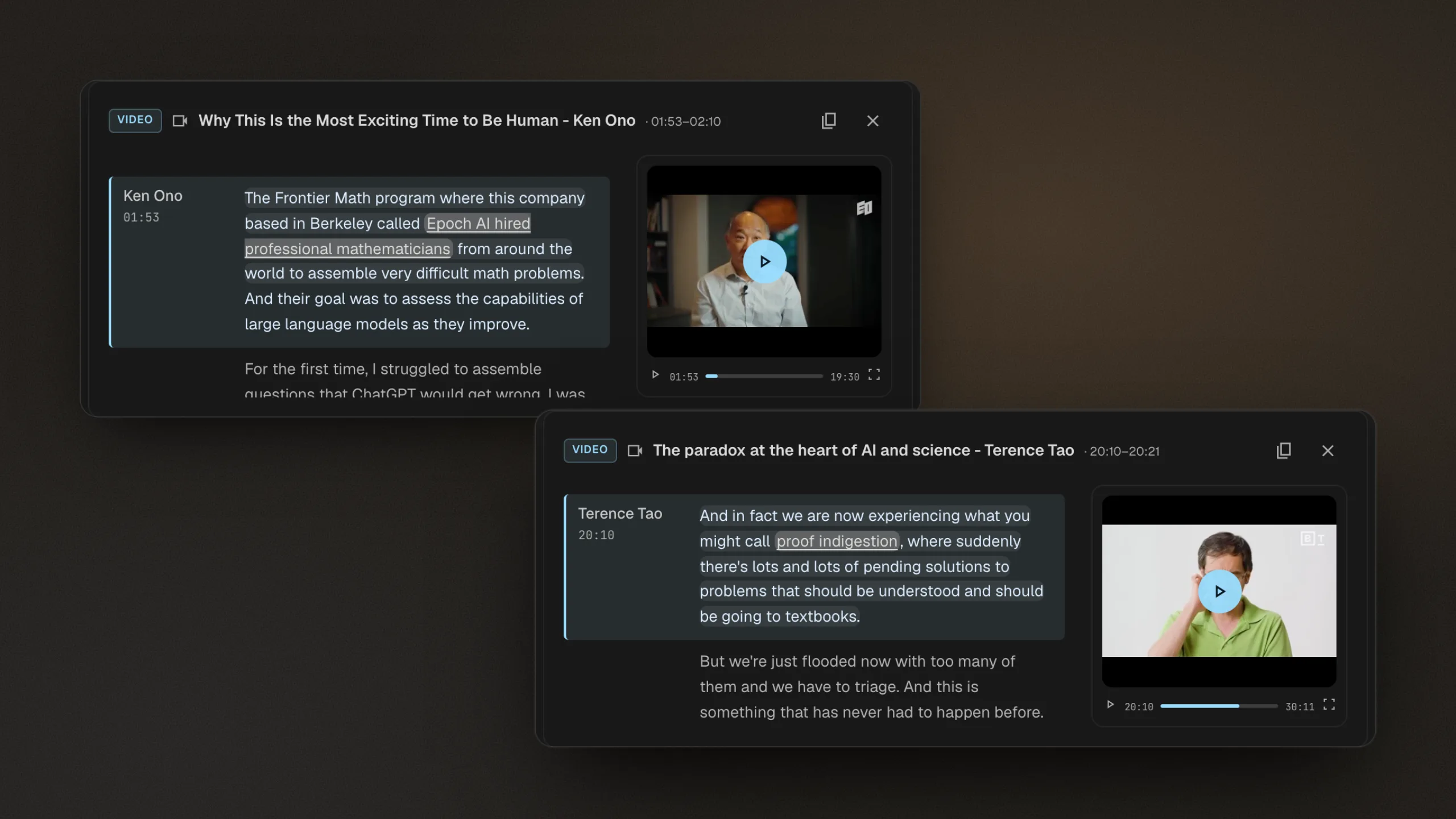
Cites the moment in your recordings where it was said
Citaria researches your project files alongside the open web, including audio and video recordings. A citation to a recording opens the transcript at the cited line, highlighted, and plays the recording from that moment.
Gemini accepts audio and video uploads; Google's documentation does not describe Deep Research citations that jump to a moment in a recording.
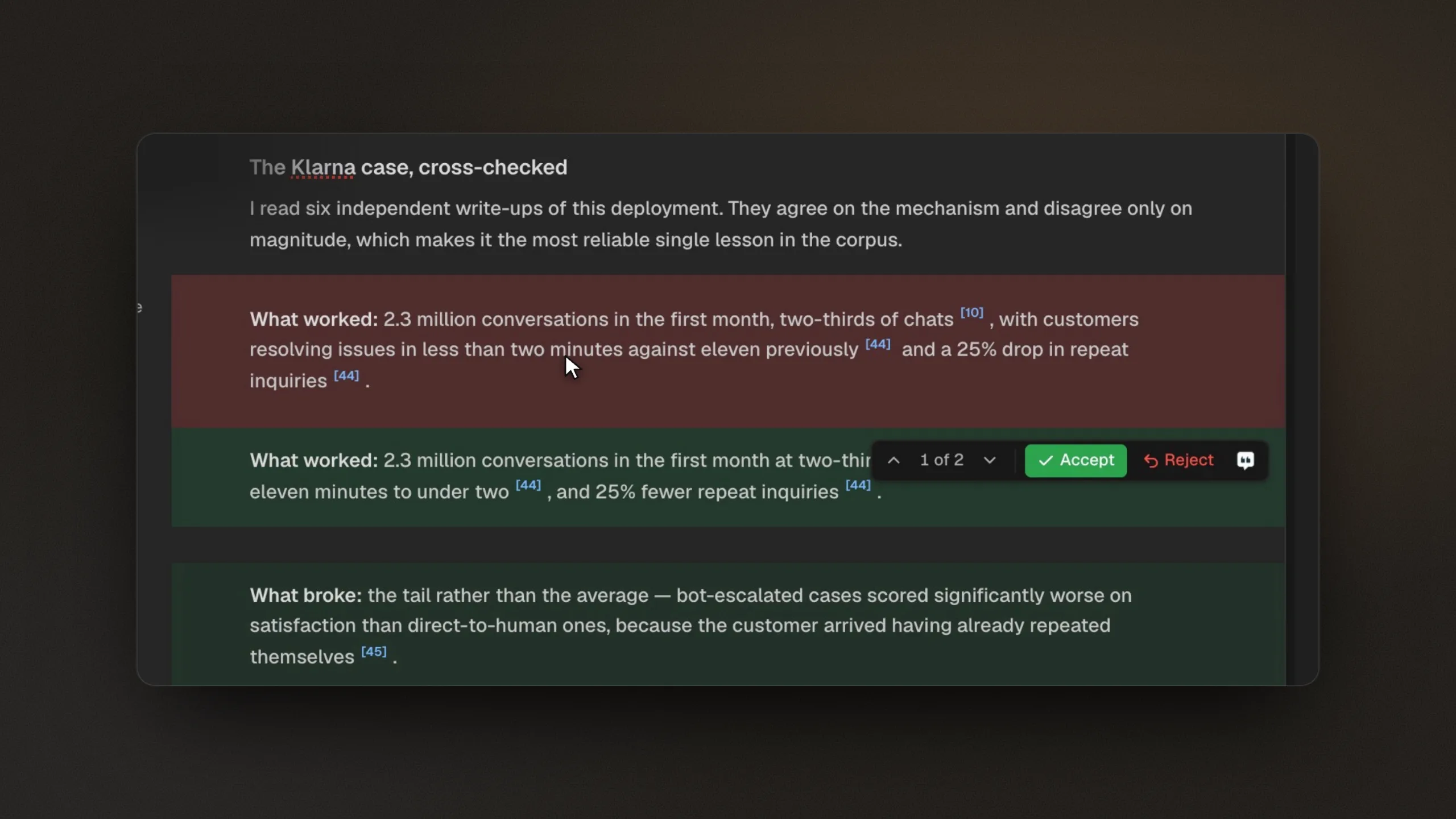
Marks every AI edit for your review
Citaria writes a document you keep refining. Follow-up questions update the document in place, and each AI revision is marked as a tracked change you can accept or reject, so you see exactly what changed.
Gemini can add new information to an existing report when you ask follow-up questions; Google's documentation does not describe accepting or rejecting individual revisions.
Citaria vs Gemini Deep Research: feature comparison
| Feature | Citaria | Gemini Deep Research |
|---|---|---|
| Best for | Research you need to defend, claim by claim | Broad research across Google Search and Google Workspace |
| Before research | Asks clarifying questions when a request is ambiguous | Shows a research plan you can edit |
| Sources | Your project files and the open web | Google Search, uploaded files, Gmail, Drive, and Google Chat |
| Quality check | A separate evaluator model audits every finished report | Multiple passes of self-critique while writing |
| Sharing | Private, specific Citaria accounts, or a public link readers can verify | Public snapshot link or export to Google Docs |
| Recordings | Citations open the transcript and play from the cited moment | Not described for Deep Research |
| Revisions | Every AI edit tracked for you to accept or reject | Follow-ups add new information to the report |
| Price to start | Free tier | Available on the free tier with limits |
Is Citaria better than Gemini Deep Research?
It depends on where your research lives and who will read it. Gemini Deep Research is strong when your material is in Google Workspace and you want broad Google Search coverage. Citaria is the better fit when every claim must hold up, because Citaria audits each report with a separate model and cites the exact passage.
Does Gemini Deep Research check its own work?
Google describes multiple passes of self-critique while Gemini Deep Research writes a report. Citaria adds a separate step: a different evaluator model audits the finished report for confidence, consistency, completeness, and freshness, and Citaria revises what the audit flags.
Can the people I share a Citaria report with check the sources?
Yes, when you share by public link: readers can open every cited passage and replay cited recordings without a Citaria account. You can also keep a report private or share it only with specific Citaria accounts, who sign in to read it.
Can I use Gemini Deep Research and Citaria together?
Yes. Gemini Deep Research works well for a broad scan that draws on your Google apps. When the findings need to be presented or signed off, run the question in Citaria to get an audited report you can share by public link for readers to verify.
Is Citaria free?
Yes. Citaria has a free tier, so you can run real research and check every citation before choosing a paid plan.