Share research your readers can verify for themselves
The evidence travels with the report, so readers can check it without asking you.
In short
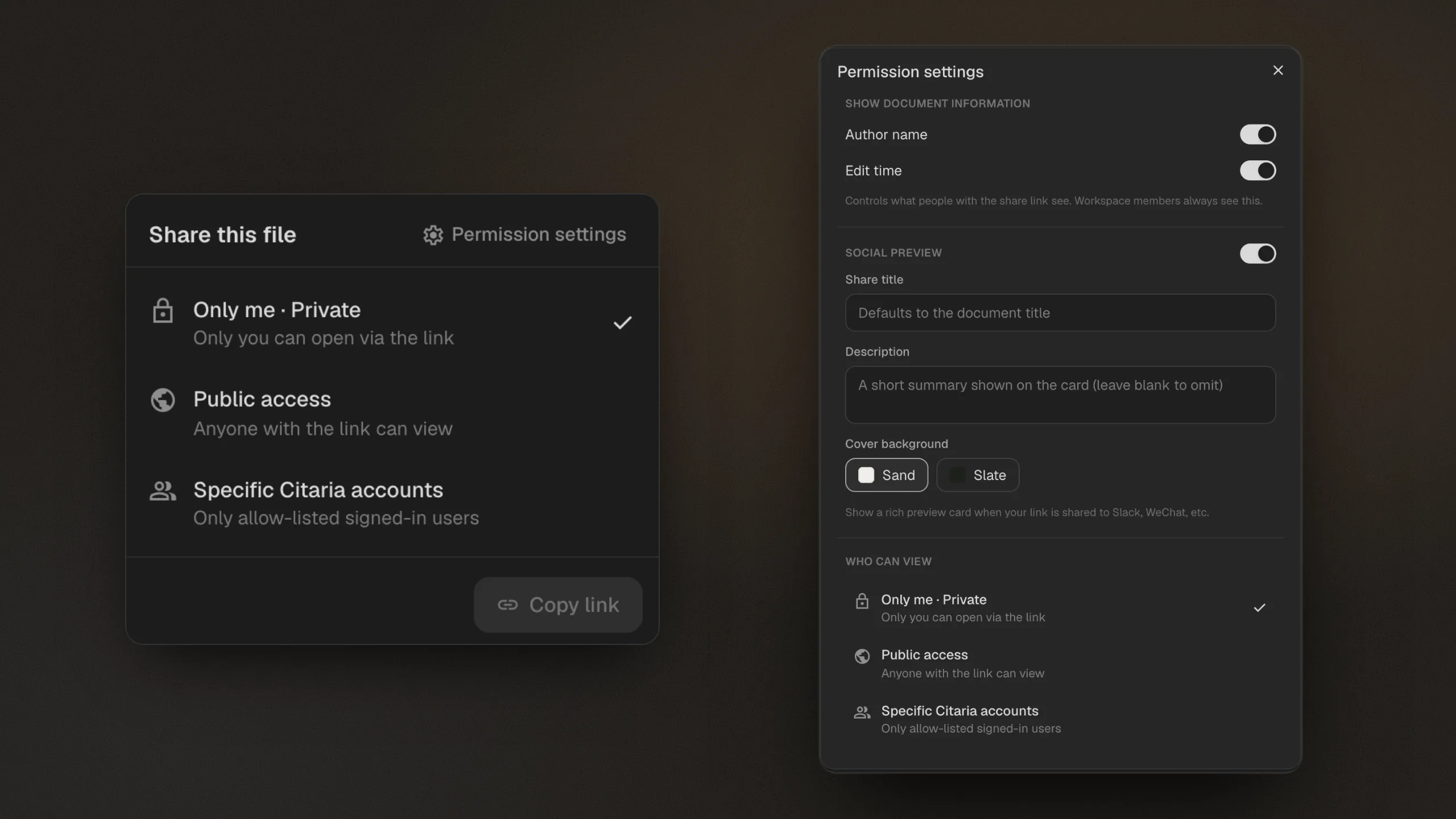
A shared Citaria report keeps its evidence. Share it with specific Citaria accounts or with anyone who has the link, and readers can open the passage behind any claim and play cited recordings; a public link needs no sign-in. Reports also export as Markdown, Word, or PDF.
- Access
- Only you, specific Citaria accounts, or anyone with the link
- Readers
- Open cited passages and play cited recordings
- Sign-in
- Not needed for a public link
- Export
- Markdown, Word with equations converted, PDF with a table of contents
- Controls
- Link preview, author name on or off, change access anytime
How sharing works
- 01
Choose who can see it
Keep a report to yourself, share it with specific Citaria accounts, or publish it to anyone with the link.
- 02
Readers check the evidence
Citations in a shared report open the source passage, highlighted, and recording citations play.
- 03
Export when you need a file
Download Markdown, Word with equations converted to Word equations, or a PDF with a table of contents after a preview.
Evidence that travels with the report
Client work
Send a link your client can check claim by claim, without creating an account.
Team review
Share with specific Citaria accounts while the report is still in progress.
Decks and documents
Export to Word or PDF when the findings need to live in another file.
How do AI research tools share reports?
Citaria is our product. Facts about other tools come from their official documentation; the review date and sources are at the foot of this page.
| Tool | Sharing options | Readers open the cited passage |
|---|---|---|
| Citaria | Only you, specific Citaria accounts, or anyone with the link | Yes, highlighted in the source |
| ChatGPT Deep Research | A link anyone can view; workspace members only on business plans | Not described in OpenAI’s documentation |
| Perplexity | Private, anyone with the link, or anyone in your org on Enterprise Pro | Not described in its documentation |
| Gemini Deep Research | A public snapshot link, or export to Google Docs | Not described in Google’s documentation |
| Manus | Team-access or public links, plus real-time collaboration | Not described in its documentation |
How can a client verify AI research I share with them?
Share the Citaria report with their Citaria account or by public link. They can click any citation to open the source passage behind the claim, with no sign-in needed for a public link, and check the evidence themselves.
Do readers need a Citaria account?
Not for a public link: anyone with the link can read the report, open cited passages, and play cited recordings. Reports shared with specific accounts open for those accounts after they sign in.
Which export formats are available?
Markdown, Word, and PDF. Word exports convert citations to a readable format and equations to Word equations; PDF exports include a table of contents, and you can preview them first.