AI deep research that checks with you before it starts
Agree on the direction first, so the research effort goes where you need it.
In short
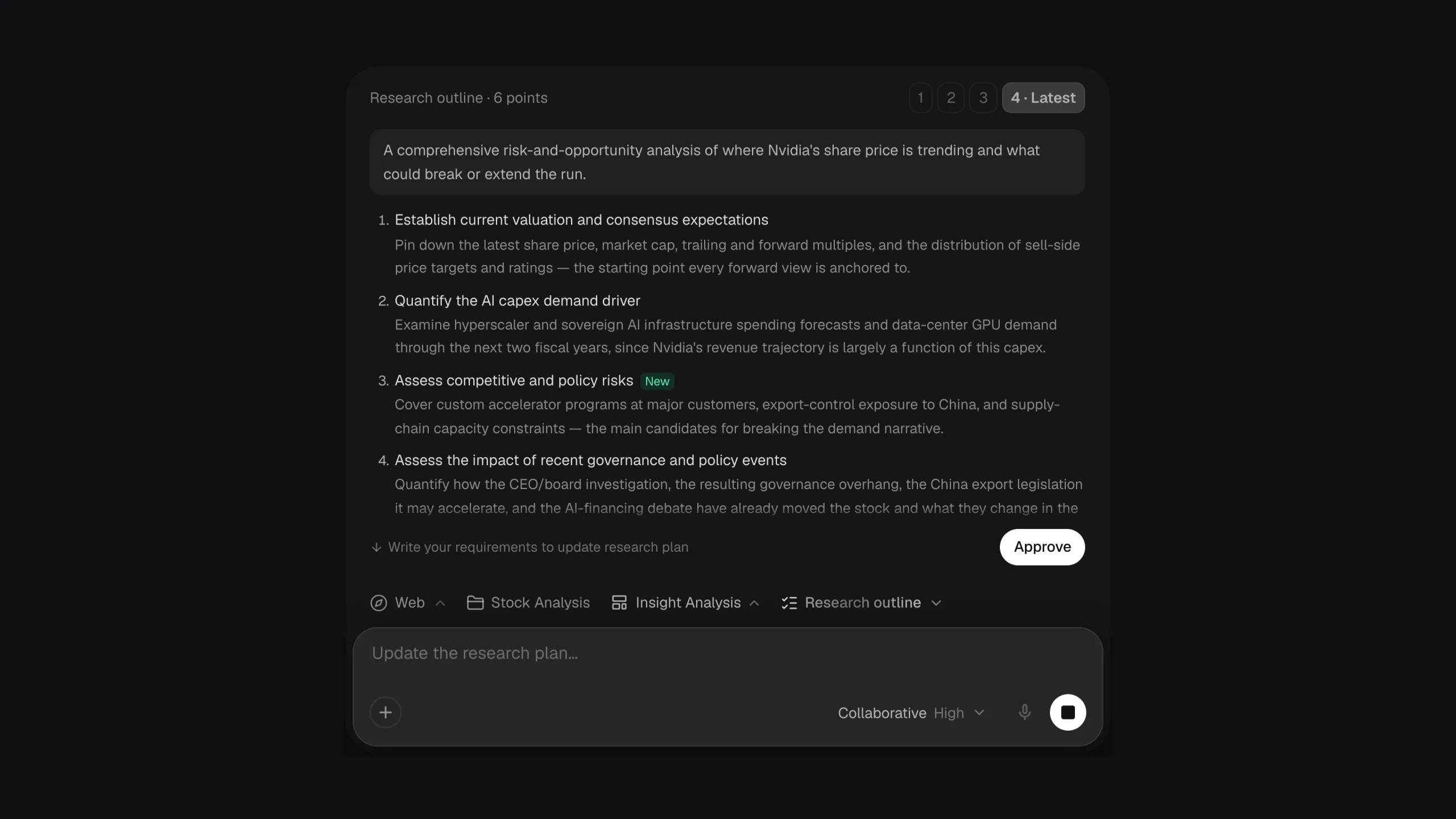
In Collaborative mode, the default, Citaria proposes a research outline before it searches anything: the goal plus three to six research directions. You can ask for changes, switch between versions, and approve the one you want. When a request is ambiguous, Citaria first asks clarifying questions with suggested answers and a recommended option.
- Outline
- The goal plus 3–6 research directions, before any searching
- Revisions
- Describe a change in plain words; switch between versions
- Questions
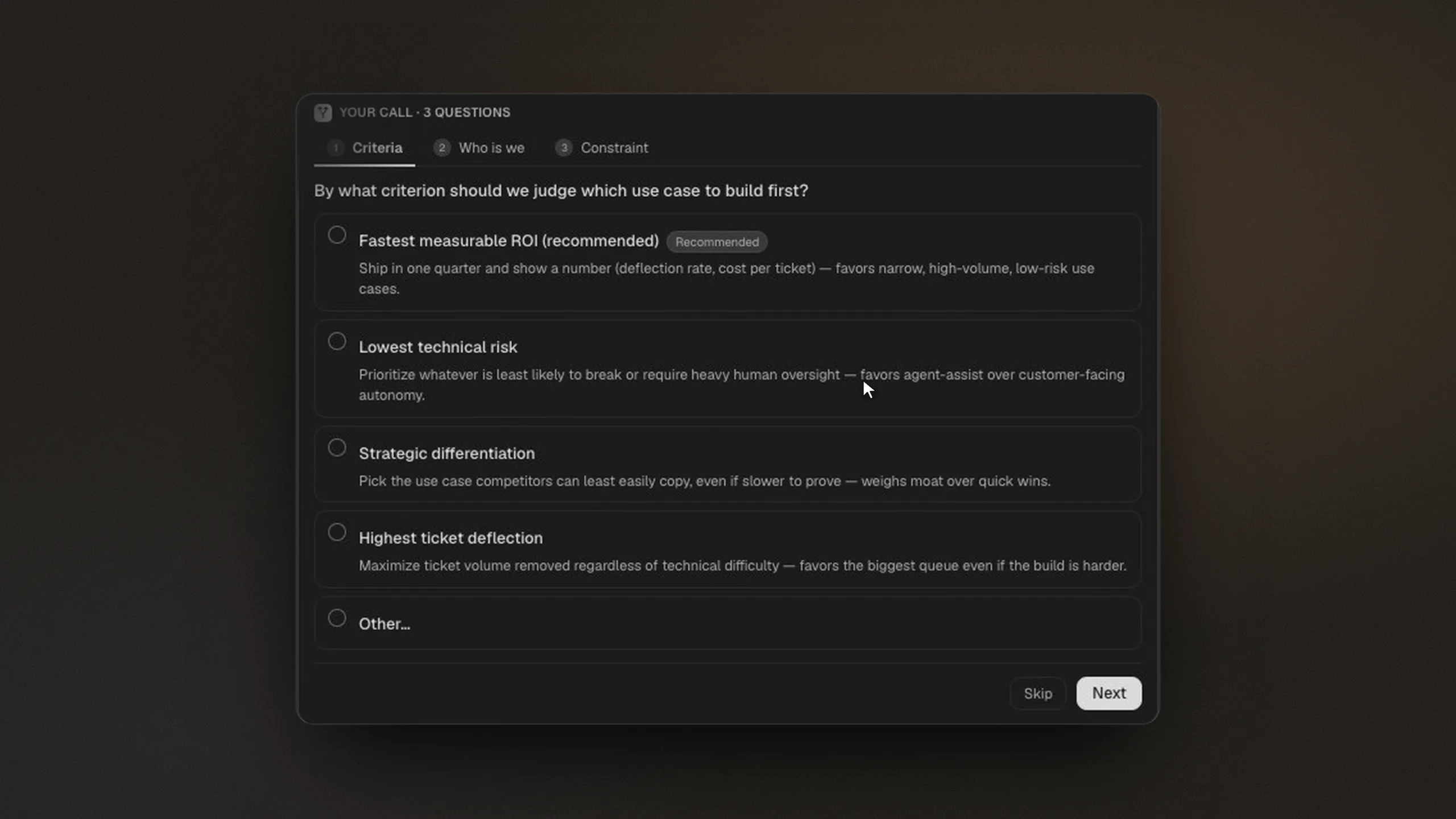
- Asked when a request is ambiguous, with suggested answers
- Modes
- Collaborative (default) or Autopilot, which skips the outline
- Progress
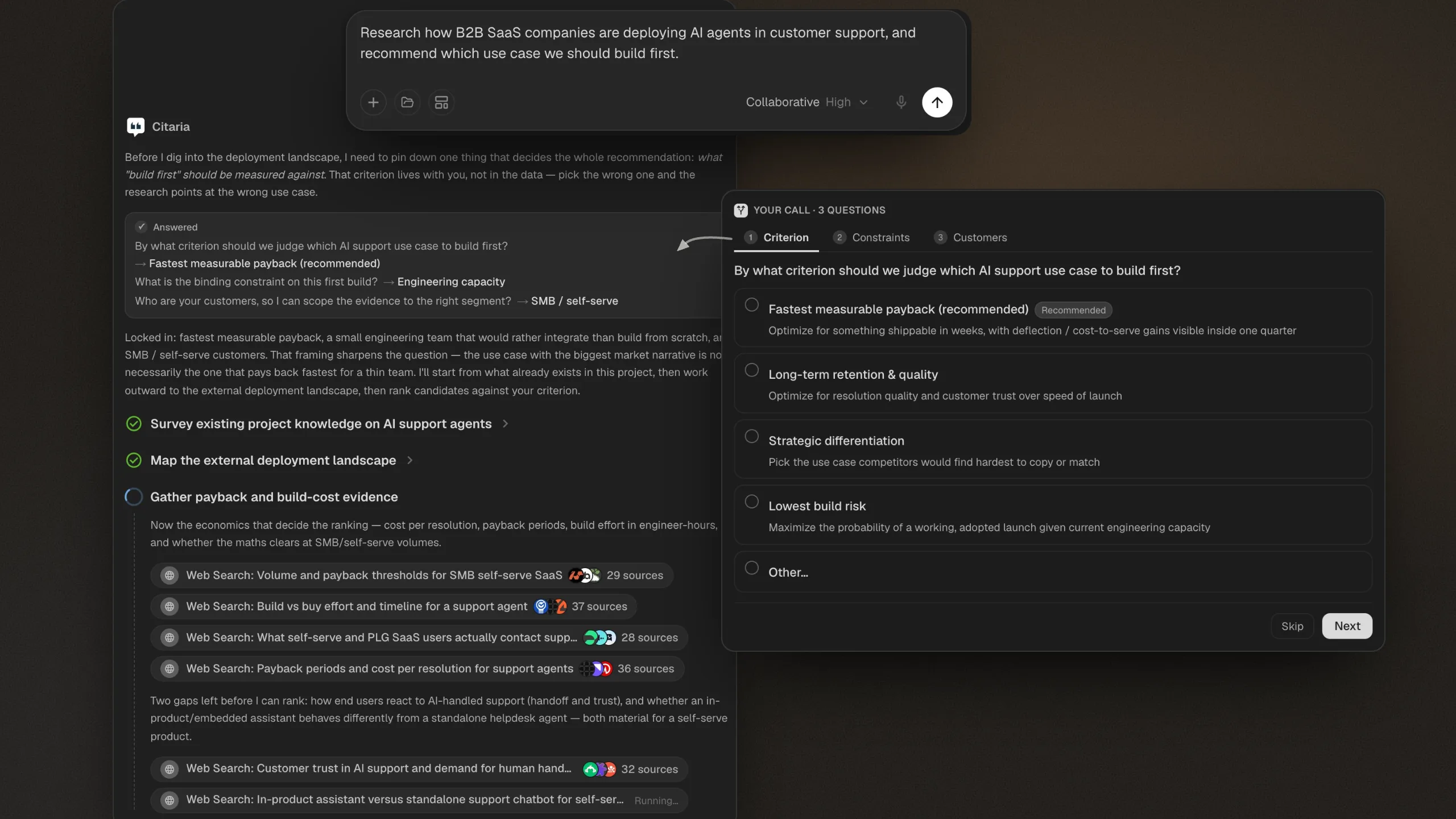
- Each stage and search shown as the research runs
From a question to an agreed plan
- 01
Ask your question
Describe what you need. If it could be read more than one way, Citaria asks a few clarifying questions first.
- 02
Shape the outline
Review the goal and the research directions, ask for changes in plain words, and approve the version you want.
- 03
Follow the research
Citaria works through the outline, from your project files out to the open web, showing each stage as it runs.
Plans worth agreeing on first
Market research
Settle the segments, regions, and questions before any searching starts.
Due diligence
List the risk areas you need covered, so each one gets its own line of research.
Competitive analysis
Fix the competitors and comparison criteria up front, then let Citaria fill them in.
Stay in control while it works
Questions that take seconds to answer
Each question comes with suggested answers and a recommended option, and you can pick more than one. In Autopilot mode, Citaria asks only when the research could go in different directions.
See what it is searching for
Each stage of the plan is shown as it runs, with the searches Citaria makes and the number of sources each one returns, from your project files out to the open web.
Which deep research tools ask clarifying questions before they start?
Several do, including ChatGPT Deep Research, Perplexity, and Manus in Plan Mode. Citaria asks when a request is ambiguous, offers suggested answers with a recommended option, and in Collaborative mode also proposes a research outline to approve before any searching starts.
Can I change the research plan before Citaria starts?
Yes. In Collaborative mode, describe the change in plain words and Citaria revises the outline. You can switch between versions and approve the one you want before any searching begins.
What is the difference between Collaborative and Autopilot?
Collaborative, the default, asks clarifying questions when needed and waits for an approved outline before it searches. Autopilot skips the outline and asks only when the research could go in different directions.
Can I see what Citaria is searching for?
Yes. While the research runs, Citaria shows each stage of the outline and the searches it makes, so you can see where the evidence is coming from.