AI research with citations you can verify in one click
Open the sentence, table cell, or equation behind each claim, highlighted in the source.
In short
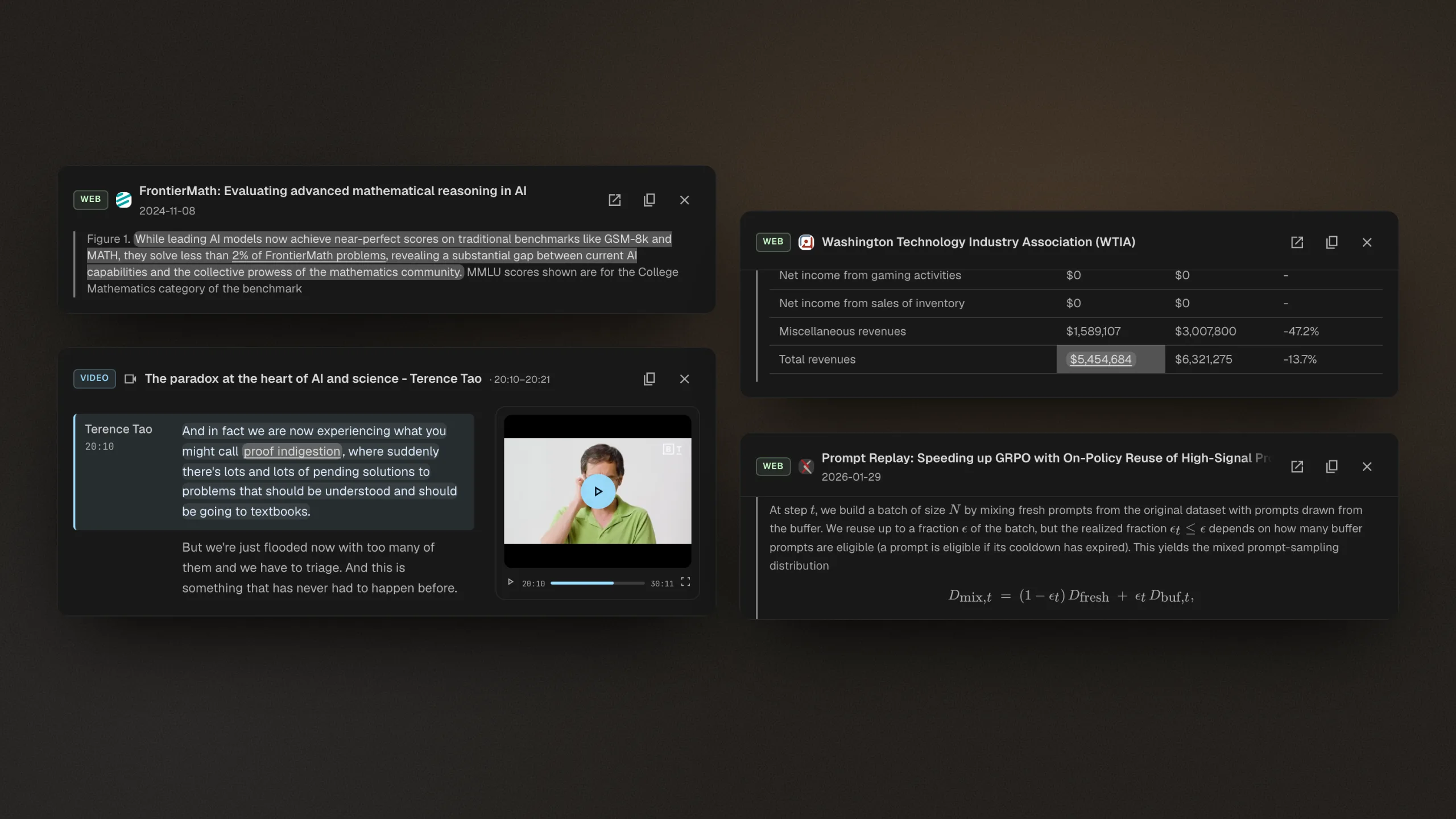
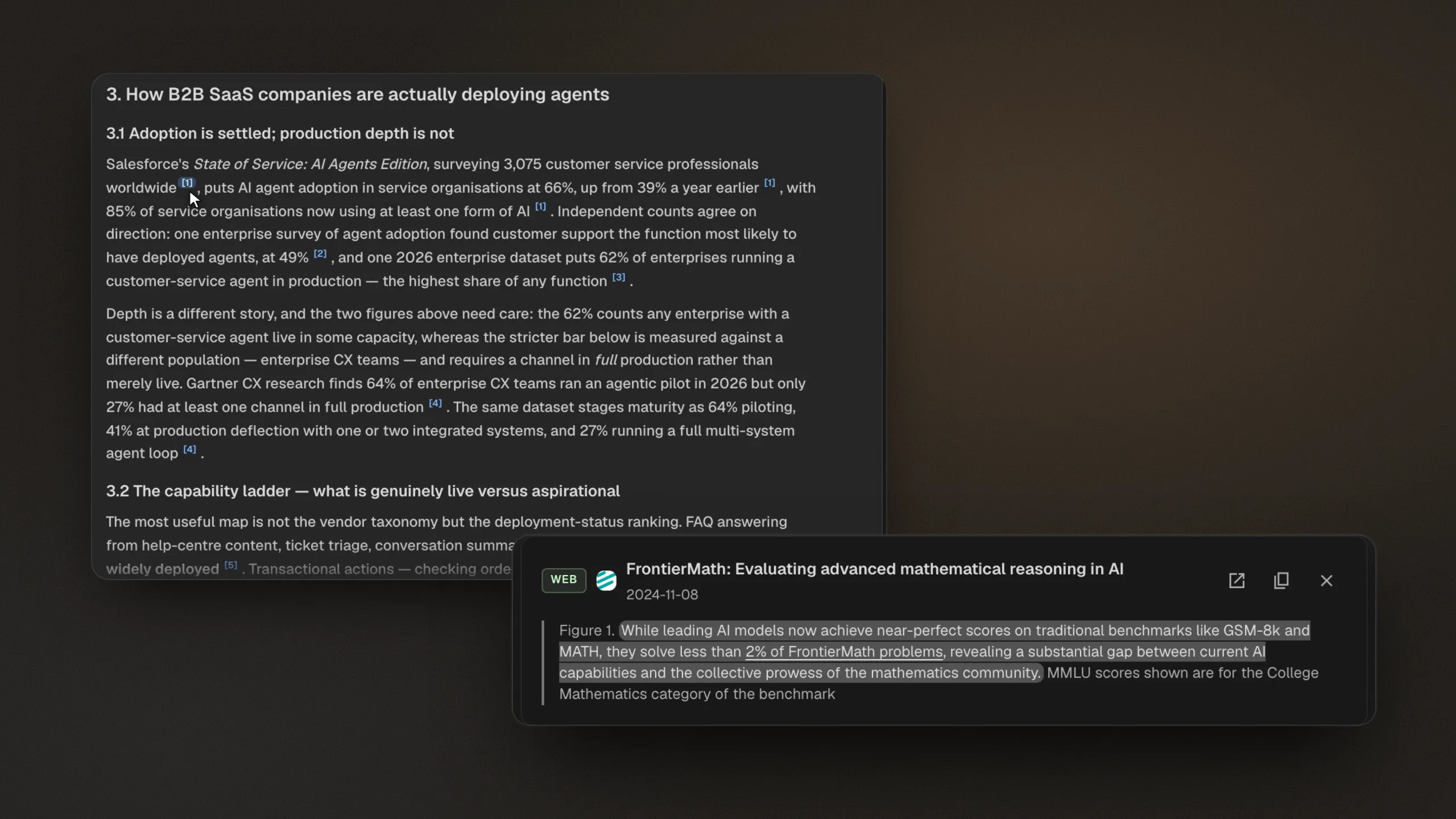
Every claim in a Citaria report links to the passage that supports it. A citation opens the source highlighted in place: a sentence on a web page, a cell in a financial table, an equation in a paper, or a line in a transcript. Cited web passages are saved with the report, so the evidence survives page edits and takedowns.
- Highlights
- Web sentences, table cells, equations, document passages, transcript lines
- Saved evidence
- Cited web passages stored with the report
- References
- An automatic list at the end of every report
- Styles
- Citations as source names or as numbers like [1]
- Copy
- Copy the quoted text from any citation
From claim to evidence in one click
- 01
Every claim gets a source
Citaria cites the supporting passage as it writes, from your files, your recordings, or the web.
- 02
One click to the evidence
A citation opens the source at that passage, highlighted, so you read the evidence instead of searching for it.
- 03
The evidence stays put
Cited web passages are saved with the report, so a claim stays checkable after the page changes.
Where one-click evidence pays off
Financial analysis
Trace a figure in the report to the table cell it came from.
Literature reviews
Open the passage or equation a claim rests on, inside the paper itself.
Before you share
Check each claim against its source in one click, not one search at a time.
Precise, and built to last
Down to a single cell or one equation
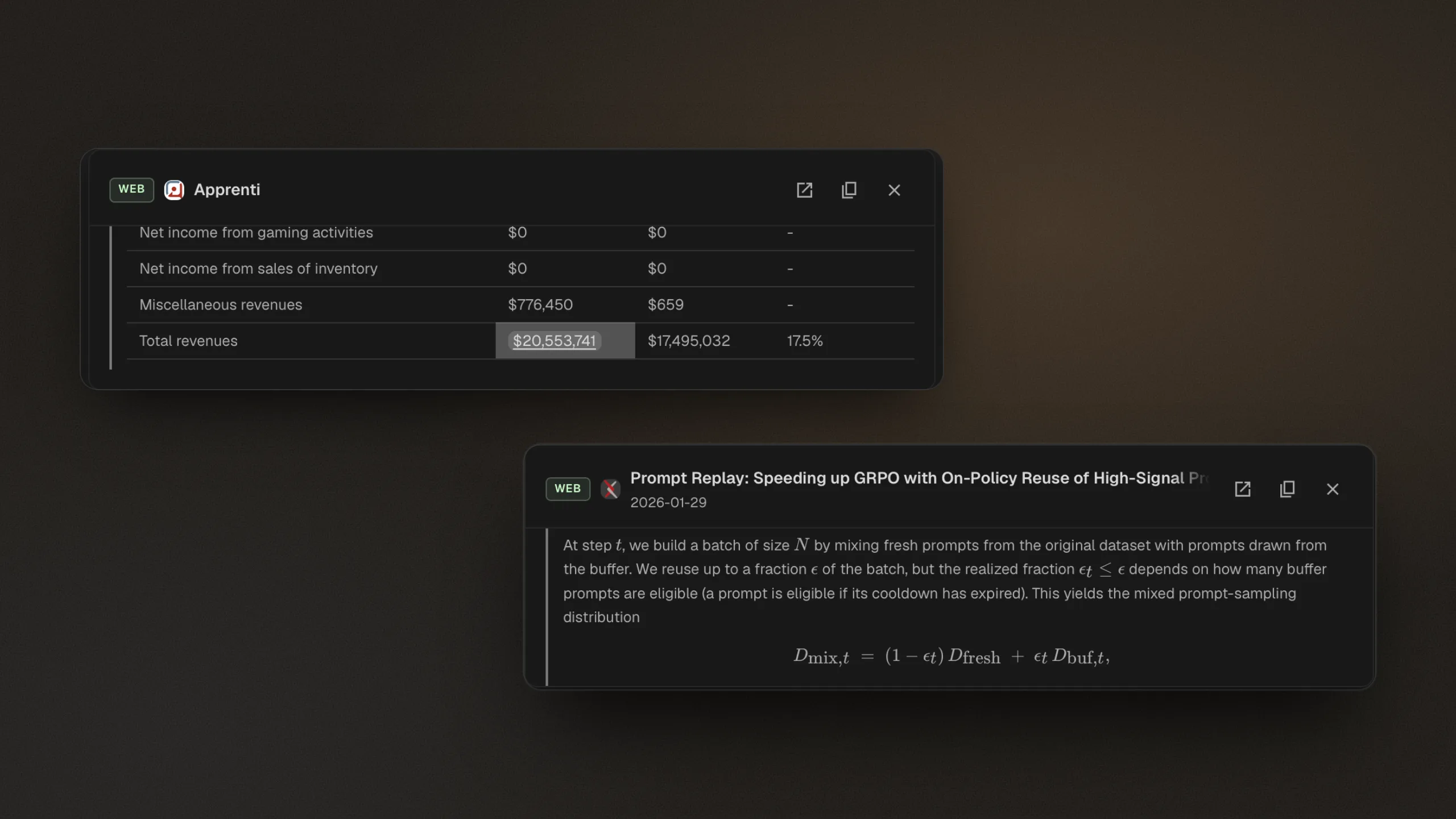
Citations point to the span that supports a claim: a sentence on a web page, one cell in a financial table, or one equation in a paper. You see the evidence in context, not a link to a long document.
Saved when the web changes
Pages get edited and taken down. Citaria stores each cited web passage with the report, so the words a claim was based on stay readable long after the search.
Where does a citation lead in each AI research tool?
Citaria is our product. Facts about other tools come from their official documentation; the review date and sources are at the foot of this page.
| Tool | Where a citation leads |
|---|---|
| Citaria | Opens the source at the supporting passage, highlighted in place |
| ChatGPT Deep Research | Citations and a sources section in every report |
| Perplexity | Links to the original source |
| Gemini Deep Research | Clickable citations in the report |
| NotebookLM | Inline citations that show the quote and open it in context |
| Manus | Reports cite their sources; the citation format is not described |
How can I check whether the citations in an AI research report are real?
Open each cited source and find the passage that supports the claim; if a citation only links to a page, you have to search the page yourself. In Citaria, each citation opens the source already highlighted at the supporting passage, so checking a claim takes one click.
Why do AI research tools sometimes cite sources that do not support the claim?
A citation that points to a whole page can look convincing even when the page never says what the claim says, and spotting that means reading the page yourself. Citaria citations open the specific passage behind a claim, so a mismatch shows up as soon as you click.
What happens to a citation if the web page changes?
Citaria saves each cited web passage with the report. If the page is later edited or taken down, the citation still opens the words the claim was based on.
How do I fact-check an AI research report before sharing it?
Check each claim against the passage it cites, and look closely at claims with no citation. In Citaria, that check is one click per claim, and the independent audit flags unsupported, inconsistent, or outdated claims for you to review.