Word-level review
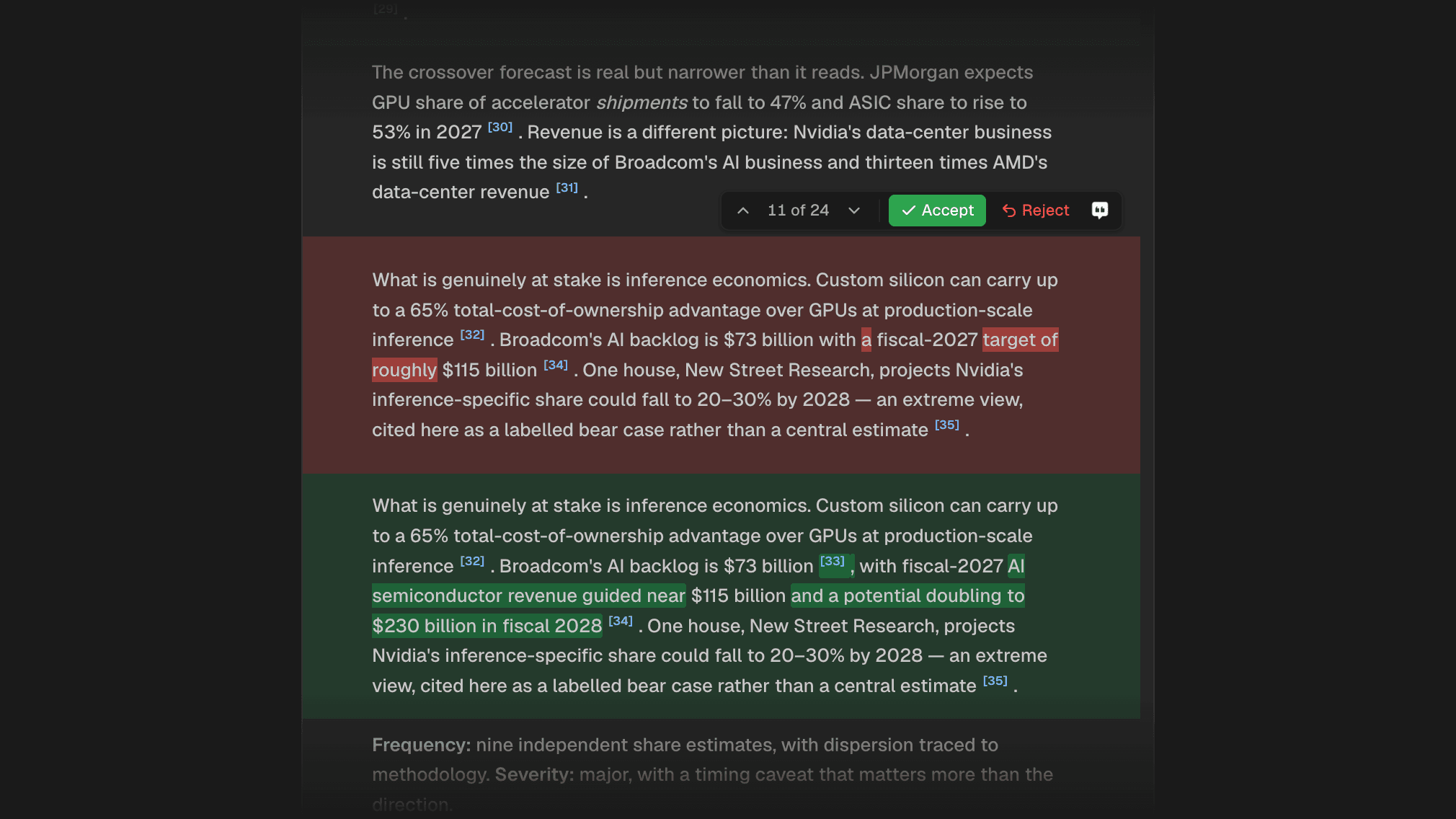
When Citaria revises a document, every change waits for your review. You can now see exactly which words changed, instead of comparing two paragraphs by eye.
Expand a change to see the removed words highlighted in red and the added words in green, including any citation that was added or removed.
Improvements4
- New accounts now go straight into Citaria after signing up, without a questionnaire
- You can now browse earlier versions of a document’s audit report, including while a new audit is running
- Spacing changes next to Chinese text are no longer flagged as edits to review
- Citations inside removed text in a review are now clickable
Fixes4
- Fixed pending edits being lost from a document while they waited for review
- Fixed changes that span several paragraphs highlighting only part of the original text
- Fixed edits that rewrite every number in a sentence showing no word-level highlights
- Fixed the audit panel listing reports from other sessions, and version numbers jumping after a re-audit