Research outline
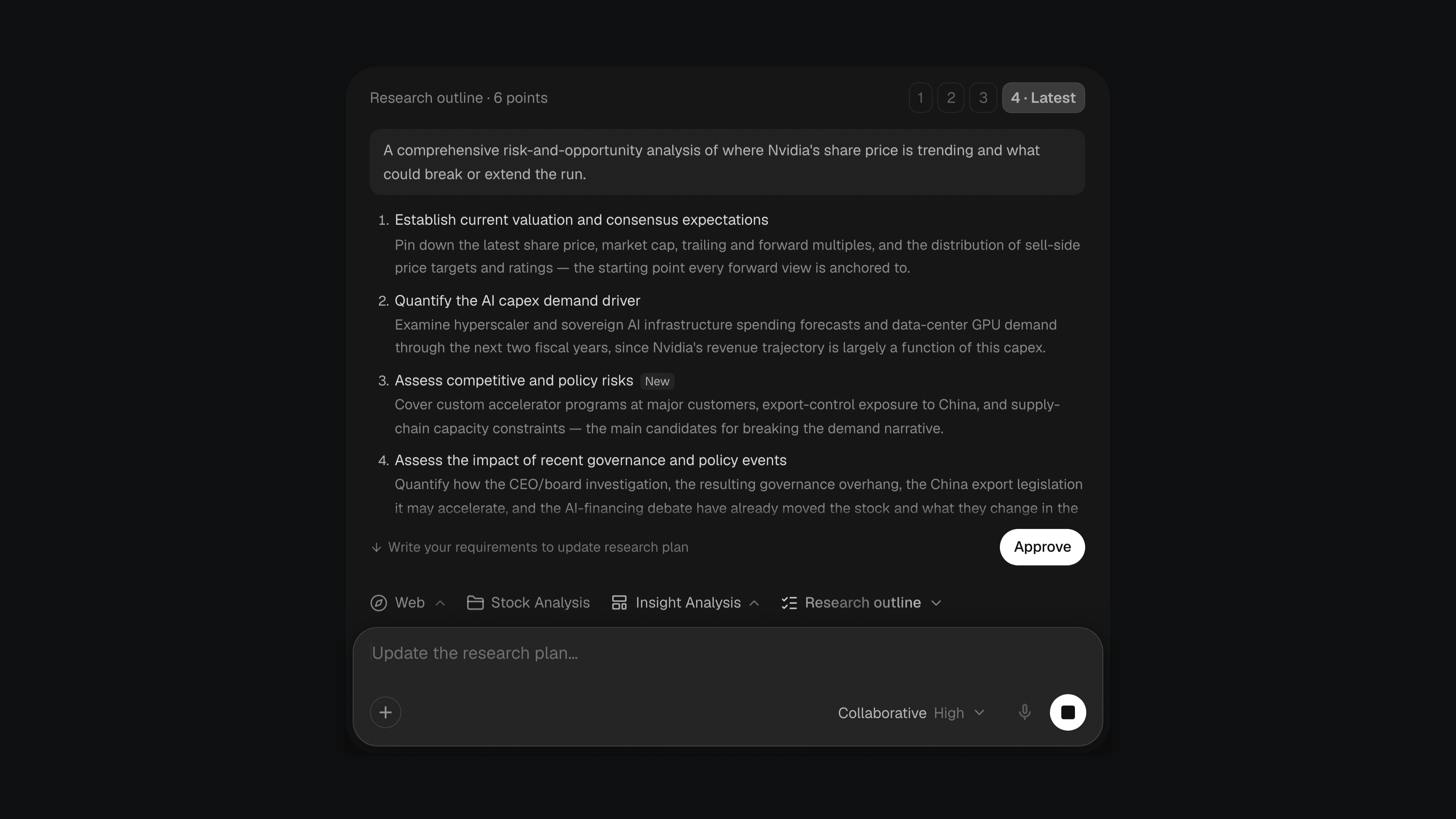
In Collaborative mode, Citaria now shows you a research outline before it starts researching, so you can steer the direction before any time goes into it.
The outline lists the goal and the directions Citaria plans to cover. From there, you can:
- Approve it to start the research
- Ask for changes in the message box, and get a revised version with new and changed points marked
- Switch versions and start from whichever one you prefer
Improvements6
- Editing a transcript now re-anchors every citation to the exact sentence it quotes, so playback starts where the quote does
- You can now upload Word (.docx) files as sources or chat attachments, from your computer or Google Drive, and view them in their original layout
- Chinese transcripts now highlight and play back sentence by sentence, and quotes that span several sentences highlight in full
- Retrying an answer now replaces it instead of adding a second answer below
- Answers that stopped before writing anything now show a Regenerate button
- File cards now show the file type, such as PDF, Word or Markdown, once the file is ready
Fixes7
- Fixed answers retrying silently for 23 seconds when the connection dropped before they started, instead of showing an error
- Fixed pure insertions in an AI edit not being marked where the original text was
- Fixed collapsed replacements in an AI edit leaving a blank gap in the document
- Fixed AI edits that only move a citation being marked on one side only
- Fixed back-to-back AI edits to the same passage being merged into one large rewrite
- Fixed shared project members not seeing the project’s sources
- Fixed the attachment menu and the Move to menu for project documents showing a double arrow